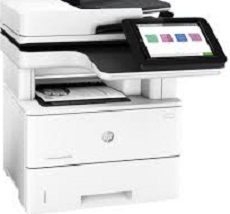
HP LaserJet Enterprise MFP M528dn Driver Download
- 22 drivers
- Supports Windows 11
- Windows · macOS · Linux
- ✓ Safe & free
The HP LaserJet Enterprise MFP M528dn model is a versatile printer that offers multifunctional capabilities such as copying, printing, scanning, and faxing as an optional feature. With a first-page output time of just 6 seconds from the ready mode, this printer is a great choice for those who need to print quickly. Even when the machine is printing the first page out of sleep mode, it only takes as quickly as 13 seconds to produce the output. When it comes to print speed at the ISO standard mode for A4 paper, the HP LaserJet Enterprise MFP M528dn can print at an impressive 43 pages per minute (ppm), making it a reliable and efficient choice for any office setting. One notable feature of this printer is the HP LaserJet Enterprise MFP M528dn Network Twain Scan Package driver, which has a size of 14.76 MB. This driver allows for seamless integration with network scanners, making it easier to scan and share documents within a team or organization. Overall, the HP LaserJet Enterprise MFP M528dn is a powerful and reliable printer that offers a range of features and capabilities to meet the needs of any office environment.
HP LaserJet Enterprise MFP M528dn Driver Downloads
| Driver | Operating System | Version | Size | Download |
|---|---|---|---|---|
| Full Feature Driver Recommended | Windows 11Windows 10Windows 8.1Windows 8Windows 7 | — | 76.8 MB | Download |
| PCL 6 V3 Printer Driver no installer | Windows 11Windows 10Windows 8.1Windows 8Windows 7 | — | 14.3 MB | Download |
| PCL 6 V4 Printer Driver no installer | Windows 11Windows 10Windows 8.1 | — | 10.3 MB | Download |
| Scan USB Twain Package | Windows 10Windows 8.1Windows 8Windows 7 | — | 15.3 MB | Download |
| Network Twain Scan Package | Windows 8.1Windows 8Windows 7 | — | 14.8 MB | Download |
| Universal Fax | Windows 11Windows 10Windows 8.1Windows 7 | — | 16.7 MB | Download |
| Universal Fax | Windows 11Windows 10Windows 8.1Windows 7 | — | 8.9 MB | Download |
| PCL6 Universal Print | Windows 11Windows 10Windows 8.1Windows 8Windows 7 | — | 18.3 MB | Download |
| PCL6 Universal Print | Windows 11Windows 10Windows 8.1Windows 8Windows 7 | — | 20.7 MB | Download |
| PostScript Universal Print | Windows 11Windows 10Windows 8.1Windows 8Windows 7 | — | 19.5 MB | Download |
| PostScript Universal Print | Windows 11Windows 10Windows 8.1Windows 8Windows 7 | — | 21.8 MB | Download |
| USB connected PCL6 Universal Print | Windows 11Windows 10Windows 8.1Windows 8Windows 7 | — | 18.4 MB | Download |
| USB connected PCL6 Universal Print | Windows 11Windows 10Windows 8.1Windows 8Windows 7 | — | 20.7 MB | Download |
| USB connected PostScript Universal Print | Windows 11Windows 10Windows 8.1Windows 8Windows 7 | — | 19.6 MB | Download |
| USB connected PostScript Universal Print | Windows 11Windows 10Windows 8.1Windows 8Windows 7 | — | 21.9 MB | Download |
| Universal Scan Full Feature Driver | Windows 11Windows 10Windows 8.1Windows 7 | — | 349.8 MB | Download |
| Universal Scan Basic Feature Driver | Windows 10Windows 8.1Windows 7 | — | 84.1 MB | Download |
| Universal Scan Basic Feature Driver | Windows 11Windows 10Windows 8.1Windows 7 | — | 104.8 MB | Download |
| Easy Start Printer Setup | Windows 11Windows 10 | — | 11.3 MB | Download |
| Easy Start Printer Setup | Windows 8.1Windows 8 | — | 11.3 MB | Download |
| Easy Start Printer Setup | Windows 7 | — | 11.3 MB | Download |
| Easy Start | macOS | — | 9.1 MB | Download |
How to Install the HP LaserJet Enterprise MFP M528dn Driver
- Click the recommended driver package above and save the file to your PC.
- Open the downloaded file and follow the on-screen HP installer.
- Connect the LaserJet Enterprise MFP M528dn by USB or network when prompted.
- Finish and print a test page to confirm the driver works.