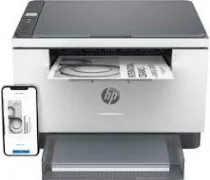
HP LaserJet MFP M234dwe Driver Download
- 4 drivers
- Supports Windows 11
- Windows · macOS · Linux
- ✓ Safe & free
The HP LaserJet MFP M234dwe driver printer model offers a plethora of functions for its users. These include printing, scanning, and copying capabilities. However, it lacks multitasking support. When it comes to black document printing, this device boasts an impressive speed of 30 pages per minute (ppm) for letter-sized paper. Its first page output time is also quite impressive, clocking in at only 6.9 seconds. On the other hand, duplex printing with this printer has an average speed of 19 images per minute (ipm). This may not be as fast as its regular printing speed, but it's still a decent rate for double-sided printing. To get started with this printer, users can download the HP LaserJet MFP M234dwe easy start printer driver, which has a size of 9.43 MB. This driver will ensure a smooth and hassle-free printing experience.
HP LaserJet MFP M234dwe Driver Downloads
| Driver | Operating System | Version | Size | Download |
|---|---|---|---|---|
| Easy Start Printer Setup Recommended | Windows 11Windows 10 | — | 11.4 MB | Download |
| Easy Start Printer Setup | Windows 8.1Windows 8 | — | 11.4 MB | Download |
| Easy Start Printer Setup | Windows 7 | — | 11.4 MB | Download |
| Easy Start | macOS | — | 9.1 MB | Download |
How to Install the HP LaserJet MFP M234dwe Driver
- Click the recommended driver package above and save the file to your PC.
- Open the downloaded file and follow the on-screen HP installer.
- Connect the LaserJet MFP M234dwe by USB or network when prompted.
- Finish and print a test page to confirm the driver works.