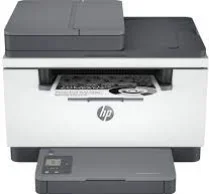
HP LaserJet MFP M234sdw Driver Download
- 5 drivers
- Supports Windows
- Windows · macOS · Linux
- ✓ Safe & free
If you're in need of an efficient and speedy multifunction printer, look no further than the HP LaserJet MFP M234sdw printer model. With the fastest two-sided printing in its class, this printer is sure to improve your productivity. Plus, it comes equipped with a functional automatic document feeder (ADF) that can handle up to 40 plain paper pages. What's more, this printer offers a variety of connectivity options, including a hi-speed USB 2.0 port and device, as well as a dual-band Wi-Fi with self-preset. And despite its impressive capabilities, the HP LaserJet MFP M234sdw is compact and easy to use. Whether you're printing large jobs or just need to print a few pages quickly, this machine is up to the task. And if you need to download the necessary drivers, you can do so easily right here. Choose the HP LaserJet MFP M234sdw for your printing needs and start enjoying improved productivity today.
HP LaserJet MFP M234sdw Driver Downloads
| Driver | Operating System | Version | Size | Download |
|---|---|---|---|---|
| Full Feature Recommended | Windows | — | 286.6 MB | Download |
| Easy Start Printer Setup | Windows 11Windows 10 | — | 11.4 MB | Download |
| Easy Start Printer Setup | Windows 8.1Windows 8 | — | 11.4 MB | Download |
| Easy Start Printer Setup | Windows 7 | — | 11.4 MB | Download |
| Easy Start | macOS | — | 9.1 MB | Download |
How to Install the HP LaserJet MFP M234sdw Driver
- Click the recommended driver package above and save the file to your PC.
- Open the downloaded file and follow the on-screen HP installer.
- Connect the LaserJet MFP M234sdw by USB or network when prompted.
- Finish and print a test page to confirm the driver works.