HP LaserJet MFP M28w Driver Download
- 8 drivers
- Supports Windows 11
- Windows · macOS · Linux
- ✓ Safe & free
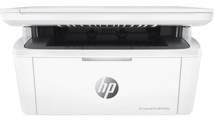
The HP LaserJet MFP M28w is a multifunction device with a unique identifier of W2G55A, making it stand out from the rest. With a preinstalled HP Original Introductory Black Laserjet Toner Cartridge that can handle up to 500 pages of paper, this printer is a reliable choice for any office. In addition to the toner cartridge, the printer package includes a support flyer, setup poster, warranty guide, software drivers, and documentation on CD-ROM and USB. This ensures that you have everything you need to get started and stay productive with your new printer. What's more, the HP LaserJet MFP M28w offers a wide range of connectivity options, including a wireless component, a hi-speed USB port, and a built-in Wi-Fi 802.11b/g/n feature. This means you can easily connect and print from a variety of devices, including your smartphone, tablet, or laptop. Overall, the HP LaserJet MFP M28w is a versatile and reliable printer that is perfect for any office environment. So why wait? Get yours today and experience the power and convenience of this amazing device.
HP LaserJet MFP M28w Driver Downloads
| Driver | Operating System | Version | Size | Download |
|---|---|---|---|---|
| Full Software Solution Recommended | Windows 11Windows 10Windows 8.1Windows 8Windows 7 | — | 144.7 MB | Download |
| Basic Software Solution | Windows 10Windows 8.1Windows 8Windows 7 | — | 52.5 MB | Download |
| Basic Software Solution | Windows 11Windows 10Windows 8.1Windows 8Windows 7 | — | 60.2 MB | Download |
| Easy Start Printer Setup | Windows 11Windows 10 | — | 11.3 MB | Download |
| Easy Start Printer Setup | Windows 8.1Windows 8 | — | 11.3 MB | Download |
| Easy Start Printer Setup | Windows 7 | — | 11.3 MB | Download |
| Easy Start Printer Setup | macOS | — | 9.1 MB | Download |
| hp helip installer 3.18.4.run | Windows | — | 21.2 MB | Download |
How to Install the HP LaserJet MFP M28w Driver
- Click the recommended driver package above and save the file to your PC.
- Open the downloaded file and follow the on-screen HP installer.
- Connect the LaserJet MFP M28w by USB or network when prompted.
- Finish and print a test page to confirm the driver works.