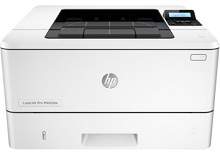
HP LaserJet Pro M402dw Driver Download
- 8 drivers
- Supports Windows 10
- Windows · macOS · Linux
- ✓ Safe & free
HP designs niche printers for various purposes and the HP LaserJet Pro M402dw printer caters to the small and home offices. This efficient printer is faster, better and can deliver with higher accuracy than its competitors. The automatic document feeder further enhances its work capability and saves a lot of time. Added to this it also has two-sided printing embed into the system printing pages faster.HP LaserJet Pro M402dw toner cartridge.HP26A Black LaserJet Toner Cartridge (~3100 pages )The printer necessitates certain specifications in order to function optimally on the Windows operating system. For Windows XP or earlier versions, a minimum of 512 MB of RAM, 400 MB of disk space, and a Pentium processor is mandatory. For higher versions such as Windows Vista, a 1GB RAM, 400 MB disk space, and a 1GHz processor are necessary. The printer is also compatible with more advanced Windows versions, namely Windows 7, 8, and 10.
HP LaserJet Pro M402dw Driver Downloads
| Driver | Operating System | Version | Size | Download |
|---|---|---|---|---|
| PCL 6 v3 Full Solution Recommended | Windows 10Windows 8.1Windows 8 | — | 75.6 MB | Download |
| Full Solution Drivers | Windows 7 | — | 88.6 MB | Download |
| PCL 6 v3 Print Driver no installer | Windows 10Windows 8.1Windows 8Windows 7 | — | 11.1 MB | Download |
| PCL 6 v4 Print Driver no installer | Windows 10Windows 8.1Windows 8 | — | 9.5 MB | Download |
| PCL.6 Print Driver no Installer | Windows VistaWindows XP | — | 14.6 MB | Download |
| PCL 6 v3 Print | Windows 7 | — | 74 MB | Download |
| PCL.6 Printer | Windows VistaWindows XP | — | 75.6 MB | Download |
| Easy Start Printer Setup | macOS | — | 9.1 MB | Download |
How to Install the HP LaserJet Pro M402dw Driver
- Click the recommended driver package above and save the file to your PC.
- Open the downloaded file and follow the on-screen HP installer.
- Connect the LaserJet Pro M402dw by USB or network when prompted.
- Finish and print a test page to confirm the driver works.