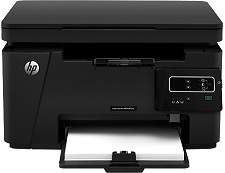
HP LaserJet Pro MFP M125r Driver Download
- 6 drivers
- Supports Windows 10
- Windows · macOS · Linux
- ✓ Safe & free
The HP LaserJet Pro Multifunction Printer version M125r has a product number of CZ176A. in the same vein; the physical measurements are with a height of 10 inches, a width of 16.5 inches, a depth of 17.2 inches and a weight of 18.3 lbs. The device is an energy-star rated device which implies that it conserves natural resources and thereby saves money.The HP LaserJet Pro MFP M125r offers limited connectivity options, with only a hi-speed USB 2.0 port located at the rear of the printer. Unfortunately, this device does not support wireless or Ethernet LAN network connectivity. As a result, users cannot take advantage of popular mobile printing software such as Apple AirPrint and HP ePrint. When it comes to toner cartridges, the HP LaserJet Pro MFP M125r is compatible with the HP 83A Black toner cartridge. However, those in China and India will need to use the HP 88A Black toner cartridge instead. Overall, while this printer may not have the most advanced connectivity options, it is still a reliable and efficient option for those who do not require wireless printing capabilities.
HP LaserJet Pro MFP M125r Driver Downloads
| Driver | Operating System | Version | Size | Download |
|---|---|---|---|---|
| Full Solution Drivers Recommended | Windows 10Windows 8.1Windows 8Windows 7Windows VistaWindows XP | — | 108.8 MB | Download |
| PCLm Print | Windows 10Windows 8.1Windows 8Windows 7Windows VistaWindows XP | — | 88 MB | Download |
| PCLm Driver Only no Installer | Windows 8.1Windows 8Windows 7Windows VistaWindows XP | — | 15.1 MB | Download |
| Easy Start Printer Setup | macOS | — | 9.1 MB | Download |
| Full Solution Drivers | macOS | — | 139.8 MB | Download |
| Software Update for Scanning issues | macOS | — | 146.7 MB | Download |
How to Install the HP LaserJet Pro MFP M125r Driver
- Click the recommended driver package above and save the file to your PC.
- Open the downloaded file and follow the on-screen HP installer.
- Connect the LaserJet Pro MFP M125r by USB or network when prompted.
- Finish and print a test page to confirm the driver works.