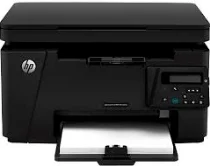
HP LaserJet Pro MFP M126nw Driver Download
- 6 drivers
- Supports Windows
- Windows · macOS · Linux
- ✓ Safe & free
A printer has become an indispensable component of our daily routine. From school projects to official reports, printers are an invaluable asset. Thanks to technological advancements, printers are now faster, more compact, and efficient than ever before, and HP is a significant contributor to this progress. As an American computing technology company, HP has played a crucial role in creating better printers, and the HP LaserJet Pro MFP M126nw is a testament to their commitment to the future. This multipurpose printer boasts innovative and intelligent print technology, making it effortless to print, scan, and copy documents. To run the HP LaserJet Pro MFP M126nw windows 10 driver, you need a minimum RAM of 1 GHz. This printer is a game-changer, and it comes highly recommended for those seeking high-quality printing, scanning, and copying capabilities.
HP LaserJet Pro MFP M126nw Driver Downloads
| Driver | Operating System | Version | Size | Download |
|---|---|---|---|---|
| Full Drivers Recommended | Windows | — | 108.8 MB | Download |
| PCLm Print | Windows | — | 88 MB | Download |
| PCLm Driver only no Installer | Windows 8.1Windows 8Windows 7Windows VistaWindows XP | — | 15.1 MB | Download |
| Easy Start | macOS | — | 9.1 MB | Download |
| ADF scanning issues with HP LaserJet products | macOS | — | 146.7 MB | Download |
| Full Driver and Software solution | macOS | — | 139.8 MB | Download |
How to Install the HP LaserJet Pro MFP M126nw Driver
- Click the recommended driver package above and save the file to your PC.
- Open the downloaded file and follow the on-screen HP installer.
- Connect the LaserJet Pro MFP M126nw by USB or network when prompted.
- Finish and print a test page to confirm the driver works.