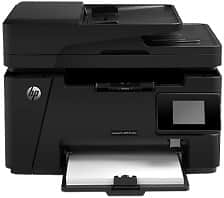
HP LaserJet Pro MFP M127fs Driver Download
- 7 drivers
- Supports Windows 10
- Windows · macOS · Linux
- ✓ Safe & free
The HP LaserJet Pro Multifunction M127fs is a versatile printer that combines a range of functions in one device. With the option of hi-speed USB 2.0 connectivity and Ethernet LAN, this printer is designed for high-performance printing in a busy office environment. Part of the LaserJet Pro family series, which includes the M127fn, M128fn, and the M128fp, the M127fs boasts impressive physical dimensions. It stands 12.2 inches tall, measures 16.5 inches in width, and has a depth of 17.2 inches. With a weight of 20.1 lbs, this printer is both sturdy and reliable, making it the perfect choice for any office.The printer model in question boasts cutting-edge mobile printing technology, thanks to its seamless integration with Hp ePrint and Apple AirPrint software. With a generous input tray capacity of up to 150 sheets of plain paper, and an output tray capacity of up to 100 sheets, this printer delivers a highly efficient printing experience. Additionally, it supports a wide range of media types, including plain sheets, transparencies, envelopes, and cards of both standard and custom sizes.
HP LaserJet Pro MFP M127fs Driver Downloads
| Driver | Operating System | Version | Size | Download |
|---|---|---|---|---|
| Full Solution Drivers Recommended | Windows 10Windows 8.1Windows 8Windows 7Windows VistaWindows XP | — | 125.2 MB | Download |
| PCLm Driver Only no Installer | Windows 10Windows 8.1Windows 8Windows 7Windows VistaWindows XP | — | 15.1 MB | Download |
| PCLm Print | Windows 10Windows 8.1Windows 8Windows 7Windows VistaWindows XP | — | 87.2 MB | Download |
| Universal Fax | Windows 8.1Windows 8Windows 7Windows VistaWindows XP | — | 11.3 MB | Download |
| Easy Start Printer Setup | macOS | — | 9.1 MB | Download |
| Full Solution Drivers | macOS | — | 139.8 MB | Download |
| Software Update for Scanning issues | macOS | — | 146.7 MB | Download |
How to Install the HP LaserJet Pro MFP M127fs Driver
- Click the recommended driver package above and save the file to your PC.
- Open the downloaded file and follow the on-screen HP installer.
- Connect the LaserJet Pro MFP M127fs by USB or network when prompted.
- Finish and print a test page to confirm the driver works.