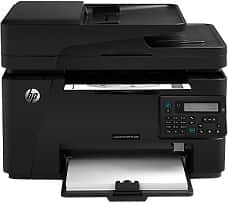
HP LaserJet Pro MFP M128fn Driver Download
- 9 drivers
- Supports Windows 10
- Windows · macOS · Linux
- ✓ Safe & free
The initial attributes of this printer model include a noteworthy input tray capacity that can accommodate up to 150 sheets of plain paper. In addition, the standard output tray is capable of holding up to 100 sheets of printed documents. Moreover, this printer is equipped with a short paper extender tool to facilitate efficient paper handling. To enhance its functionality, the HP LaserJet Pro MFP M128fn printer drivers include the HP PCLm5, which is readily available for download. Embracing cutting-edge technology, this printer model boasts of superior printing capabilities that can meet the diverse needs of modern businesses.The fundamental connectivity options for the HP LaserJet Pro MFP M128fn driver comprise a hi-speed USB 2.0 port and a 10/100/1000 Ethernet LAN connection. In addition, this device supports wireless network connection as an alternative method for printing. The print speed of the device is an impressive 20 pages per minute (ppm) on an A4 paper size, while it reaches a remarkable 21 ppm on letter-size paper.
HP LaserJet Pro MFP M128fn Driver Downloads
| Driver | Operating System | Version | Size | Download |
|---|---|---|---|---|
| Full Solution Drivers Recommended | Windows 10Windows 8.1Windows 8Windows 7Windows VistaWindows XP | — | 125.2 MB | Download |
| PCLm Driver Only no Installer | Windows 10Windows 8.1Windows 8Windows 7Windows VistaWindows XP | — | 15.1 MB | Download |
| PCLm Print | Windows 10Windows 8.1Windows 8Windows 7Windows VistaWindows XP | — | 87.2 MB | Download |
| Universal Fax | Windows 8.1Windows 8Windows 7Windows VistaWindows XP | — | 11.3 MB | Download |
| ePrint Software Network and Wireless Connected Printers | Windows 10Windows 8.1Windows 8Windows 7 | — | 26.2 MB | Download |
| ePrint Software Network and Wireless Connected Printers | Windows 10Windows 8.1Windows 8Windows 7 | — | 31.2 MB | Download |
| Easy Start Printer Setup | macOS | — | 9.1 MB | Download |
| Full Solution Drivers | macOS | — | 139.8 MB | Download |
| Software Update for Scanning issues | macOS | — | 146.7 MB | Download |
How to Install the HP LaserJet Pro MFP M128fn Driver
- Click the recommended driver package above and save the file to your PC.
- Open the downloaded file and follow the on-screen HP installer.
- Connect the LaserJet Pro MFP M128fn by USB or network when prompted.
- Finish and print a test page to confirm the driver works.