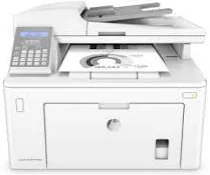
HP LaserJet Pro MFP M148fdw Driver Download
- 16 drivers
- Supports Windows 11
- Windows · macOS · Linux
- ✓ Safe & free
The HP LaserJet Pro MFP M148fdw comes with a full feature driver that has a size of 245.78 MB. This driver includes everything you need to install and use your HP printer hassle-free. When you purchase this printer, you'll get an HP Black LaserJet Toner Cartridge that can print up to 1000 pages under ideal conditions. Additionally, it comes with an HP LaserJet Imaging Drum which has a capacity of 23,000 pages. The packaging also includes a power cord, photo cord, USB cable, and a startup guide to help you get started easily. This printer can connect to other devices using a standard USB 2.0 port and an Ethernet 10/100 Base-TX. Additionally, it has an inbuilt Wi-Fi 802.11 b/g/n and supports USB printing and Wi-Fi direct. Overall, the HP LaserJet Pro MFP M148fdw is a high-performance printer that delivers excellent printing quality and can handle your printing needs with ease.
HP LaserJet Pro MFP M148fdw Driver Downloads
| Driver | Operating System | Version | Size | Download |
|---|---|---|---|---|
| Full Feature Driver Recommended | Windows 11Windows 10Windows 8.1Windows 8Windows 7 | — | 247.8 MB | Download |
| Basic Software Solution | Windows 10Windows 8.1Windows 8Windows 7Windows VistaWindows XP | — | 76.3 MB | Download |
| Basic Software Solution | Windows 11Windows 10Windows 8.1Windows 8Windows 7 | — | 86.6 MB | Download |
| Universal Fax | Windows 11Windows 10Windows 8.1Windows 7 | — | 16.7 MB | Download |
| PCL6 Universal Print | Windows 11Windows 10Windows 8.1Windows 8Windows 7 | — | 18.3 MB | Download |
| PCL6 Universal Print | Windows 11Windows 10Windows 8.1Windows 8Windows 7 | — | 20.7 MB | Download |
| PostScript Universal Print | Windows 11Windows 10Windows 8.1Windows 8Windows 7 | — | 19.5 MB | Download |
| PostScript Universal Print | Windows 11Windows 10Windows 8.1Windows 8Windows 7 | — | 21.8 MB | Download |
| USB connected PCL6 Universal Print | Windows 11Windows 10Windows 8.1Windows 8Windows 7 | — | 18.4 MB | Download |
| USB connected PCL6 Universal Print | Windows 11Windows 10Windows 8.1Windows 8Windows 7 | — | 20.7 MB | Download |
| USB connected PostScript Universal Print | Windows 11Windows 10Windows 8.1Windows 8Windows 7 | — | 19.6 MB | Download |
| USB connected PostScript Universal Print | Windows 11Windows 10Windows 8.1Windows 8Windows 7 | — | 21.9 MB | Download |
| Easy Start Printer Setup | Windows 11Windows 10 | — | 11.4 MB | Download |
| Easy Start Printer Setup | Windows 8.1Windows 8 | — | 11.4 MB | Download |
| Easy Start Printer Setup | Windows 7 | — | 11.4 MB | Download |
| Easy Start | macOS | — | 9.1 MB | Download |
How to Install the HP LaserJet Pro MFP M148fdw Driver
- Click the recommended driver package above and save the file to your PC.
- Open the downloaded file and follow the on-screen HP installer.
- Connect the LaserJet Pro MFP M148fdw by USB or network when prompted.
- Finish and print a test page to confirm the driver works.