HP LaserJet Pro MFP M426dw Driver Download
- 8 drivers
- Supports Windows 10
- Windows · macOS · Linux
- ✓ Safe & free
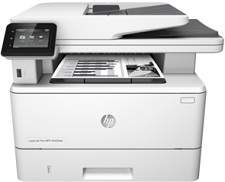
The LaserJet Pro MFP M426dw device is a multifunction printer with the ability to print, scan, and copy documents. It’s a model member of the same family series as the M426fdn, M426fdw, M427dw, M427fdn and the M427fdw. The product number of this particular device is C5F97A.Starting with the evident characteristics, this printer boasts two input trays and an optional supplementary tray for additional input options. Additionally, it features a control panel, scanner bed, automatic document feeder, output tray, and a walk-up USB port for scanning and printing. The printer also includes a front door release button, which provides easy access to its toner cartridge, and an off/on button for the switch.HP LaserJet Pro MFP M426dw toner cartridge. The HP LaserJet Pro MFP M426dw toner cartridge is a crucial component for maintaining the high-quality printing performance of your multifunction printer. This precision-engineered cartridge is designed to deliver optimal results with every print, providing superior clarity and sharpness, even with the most complex documents. With its advanced toner formulation, the HP LaserJet Pro MFP M426dw toner cartridge ensures that your prints are always crisp and vibrant, with rich, deep blacks and vivid colors that bring your images and text to life. Its high-yield design also means that you can print more pages with fewer cartridge replacements, saving you time and money in the long run. Whether you're printing reports, presentations, or marketing materials, the HP LaserJet Pro MFP M426dw toner cartridge is the ideal choice for achieving professional-quality results that will impress your clients and colleagues alike. So why settle for anything less? Invest in the best and experience the difference for yourself!HP26A black LaserJet Toner Cartridge (~3100 pages )HP LaserJet Pro MFP M426dw driver connectivity options usually include the hi-speed USB 2.0 port and 10/100/1000 Ethernet LAN connection with IPv6 and IPv4. Others are Walk-up USB port, a print server for Wireless network connectivity and the Hp Near Field Communication (NFC). This NFC is used for printing from mobile devices while the last option is the Wi-Fi Direct for printing, also for cellular distribution.
HP LaserJet Pro MFP M426dw Driver Downloads
| Driver | Operating System | Version | Size | Download |
|---|---|---|---|---|
| PCL 6 v3 Full Solution Recommended | Windows 10Windows 8.1Windows 8 | — | 177.6 MB | Download |
| Full Solution Drivers | Windows 7 | — | 193.2 MB | Download |
| PCL 6 Print Driver no installer | Windows 10Windows 8.1Windows 8Windows 7 | — | 12.2 MB | Download |
| PCL 6 v4 Print Driver no installer | Windows 10Windows 8.1Windows 8 | — | 10.6 MB | Download |
| PCL 6 v3 Print | Windows 7 | — | 120.8 MB | Download |
| PCL.6 Print Driver no installer | Windows VistaWindows XP | — | 15.8 MB | Download |
| PCL.6 Printer | Windows VistaWindows XP | — | 176.3 MB | Download |
| Easy Start Printer Setup | macOS | — | 9.1 MB | Download |
How to Install the HP LaserJet Pro MFP M426dw Driver
- Click the recommended driver package above and save the file to your PC.
- Open the downloaded file and follow the on-screen HP installer.
- Connect the LaserJet Pro MFP M426dw by USB or network when prompted.
- Finish and print a test page to confirm the driver works.