HP LaserJet Pro MFP M428fdw Driver Download
- 21 drivers
- Supports Windows 11
- Windows · macOS · Linux
- ✓ Safe & free
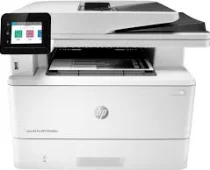
Introducing the HP LaserJet Pro MFP M428fdw printer, a state-of-the-art device that's more than just a printer. With its multifunctional capabilities, you can print, copy, scan, fax, and even email documents. This printer is designed to deliver high-quality prints with impressive speed, boasting a default print rate of 40 pages per minute (ppm). And if you select the HP high-speed mode, it can print up to 42 ppm, making it one of the fastest printers in its class. But speed is not the only thing that sets this printer apart. With a first-page-out time of just 6.1 seconds in ready mode, you won't have to wait long for your documents to start printing. And when you need to produce high-resolution prints, the fine lines mode can achieve up to 1200 x 1200 dots per inch (dpi), ensuring that your documents look sharp and professional. If you're using Windows, you'll appreciate the convenience of the HP LaserJet Pro MFP M428fdw Easy Start Driver, which has a small file size of just 9.41 MB. This driver makes it easy to set up and use your printer, ensuring that you can start printing right away without any hassle. In summary, the HP LaserJet Pro MFP M428fdw printer is a versatile and powerful device that's perfect for busy offices and professionals who demand fast, high-quality printing. With its impressive speed, resolution, and ease of use, it's a top choice for anyone who needs to produce documents quickly and efficiently.
HP LaserJet Pro MFP M428fdw Driver Downloads
| Driver | Operating System | Version | Size | Download |
|---|---|---|---|---|
| Full Feature Driver Recommended | Windows 11Windows 10Windows 8.1Windows 8Windows 7 | — | 264 MB | Download |
| Basic Driver and Software Solution | Windows 10Windows 8.1Windows 8Windows 7 | — | 71.5 MB | Download |
| Basic Driver and Software Solution | Windows 11Windows 10Windows 8.1Windows 8Windows 7 | — | 77.7 MB | Download |
| PCL 6 V3 Printer Driver no installer | Windows 11Windows 10Windows 8.1Windows 8Windows 7 | — | 20.2 MB | Download |
| PCL 6 V4 Printer Driver no installer | Windows 11Windows 10Windows 8.1 | — | 16.2 MB | Download |
| Universal Fax | Windows 11Windows 10Windows 8.1Windows 7 | — | 16.7 MB | Download |
| PCL6 Universal Print | Windows 11Windows 10Windows 8.1Windows 8Windows 7 | — | 18.3 MB | Download |
| PCL6 Universal Print | Windows 11Windows 10Windows 8.1Windows 8Windows 7 | — | 20.7 MB | Download |
| PostScript Universal Print | Windows 11Windows 10Windows 8.1Windows 8Windows 7 | — | 19.5 MB | Download |
| PostScript Universal Print | Windows 11Windows 10Windows 8.1Windows 8Windows 7 | — | 21.8 MB | Download |
| USB connected PCL6 Universal Print | Windows 11Windows 10Windows 8.1Windows 8Windows 7 | — | 18.4 MB | Download |
| USB connected PCL6 Universal Print | Windows 11Windows 10Windows 8.1Windows 8Windows 7 | — | 20.7 MB | Download |
| USB connected PostScript Universal Print | Windows 11Windows 10Windows 8.1Windows 8Windows 7 | — | 19.6 MB | Download |
| USB connected PostScript Universal Print | Windows 11Windows 10Windows 8.1Windows 8Windows 7 | — | 21.9 MB | Download |
| ePrint Software Network and Wireless Connected Printers | Windows 10Windows 8.1Windows 8Windows 7 | — | 26.2 MB | Download |
| ePrint Software Network and Wireless Connected Printers | Windows 10Windows 8.1Windows 8Windows 7 | — | 31.2 MB | Download |
| Easy Start Printer Setup | Windows 11Windows 10 | — | 11.3 MB | Download |
| Easy Start Printer Setup | Windows 8.1Windows 8 | — | 11.3 MB | Download |
| Easy Start Printer Setup | Windows 7 | — | 11.3 MB | Download |
| Easy Start | macOS | — | 9.1 MB | Download |
| ePrint Software Network and Wireless Connected Printers | macOS | — | 6.6 MB | Download |
How to Install the HP LaserJet Pro MFP M428fdw Driver
- Click the recommended driver package above and save the file to your PC.
- Open the downloaded file and follow the on-screen HP installer.
- Connect the LaserJet Pro MFP M428fdw by USB or network when prompted.
- Finish and print a test page to confirm the driver works.