HP LaserJet Pro P1109 Driver Download
- 2 drivers
- Supports Windows 10
- Windows · macOS · Linux
- ✓ Safe & free
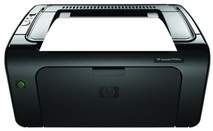
The HP LaserJet Pro P1109 is a popular printer for both personal and small office use. It is part of the Pro P1100 series, which includes several other models such as the P1102, P1102s, P1102w, P1106, P1108, and P1109w. This printer only offers a standard USB 2.0 port for connectivity. It is specifically designed to print in black and white, making it a reliable option for those who primarily print text documents.The printer's physical measurements consist of a width spanning 13.74 inches, a height of 7.71 inches, and a weight of 5.3 Kg. Its depth can reach a minimum of 9.38 inches, while it can extend to a maximum of 16.15 inches. The selection of compatible toner cartridges is dependent on the geographical location where the printer is utilized. The HP 88A Black LaserJet Toner Cartridge is the compatible choice for the Asia Pacific region, while other regions make use of the HP 85A black LaserJet toner cartridge.
HP LaserJet Pro P1109 Driver Downloads
| Driver | Operating System | Version | Size | Download |
|---|---|---|---|---|
| Full Feature Driver Recommended | Windows 10Windows 8.1Windows 8Windows 7Windows VistaWindows XP | — | 157.4 MB | Download |
| Full Feature Driver | macOS | — | 137 MB | Download |
How to Install the HP LaserJet Pro P1109 Driver
- Click the recommended driver package above and save the file to your PC.
- Open the downloaded file and follow the on-screen HP installer.
- Connect the LaserJet Pro P1109 by USB or network when prompted.
- Finish and print a test page to confirm the driver works.