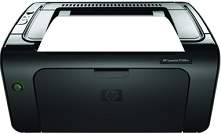
HP LaserJet Pro P1109w Driver Download
- 2 drivers
- Supports Windows 10
- Windows · macOS · Linux
- ✓ Safe & free
Every office needs a robust machine that can perform all the printing functions. The HP LaserJet Pro P1109w printer is a powerful office printer that can handle various tasks at once in an office. With USB support and WI-Fi connectivity printing in the office become more comfortable and faster. Moreover, it has ENERGY STAR certification making it sustainable for long-term use and a power saver.HP LaserJet Pro P1109w toner cartridge.HP85A Toner Cartridges, Black (~1600 pages ), HP 85A Black Toner Cartridge(~1600 pages )In order to operate Microsoft Windows XP, users must have at least 512 MB of RAM and 850 MB of available storage space. Additionally, the system must be equipped with an Intel Pentium II processor or a more advanced upgrade. For Windows Vista and 7, a minimum of 1 GB of RAM and up to 2 GB of storage space is required. The processor capacity for these systems should be 1 GHz or higher. Windows 8 and Windows 10 are fully compatible with the printer, making them excellent options for users.
HP LaserJet Pro P1109w Driver Downloads
| Driver | Operating System | Version | Size | Download |
|---|---|---|---|---|
| Full Feature Driver Recommended | Windows 10Windows 8.1Windows 8Windows 7Windows VistaWindows XP | — | 157.4 MB | Download |
| Full Feature Driver | macOS | — | 137 MB | Download |
How to Install the HP LaserJet Pro P1109w Driver
- Click the recommended driver package above and save the file to your PC.
- Open the downloaded file and follow the on-screen HP installer.
- Connect the LaserJet Pro P1109w by USB or network when prompted.
- Finish and print a test page to confirm the driver works.