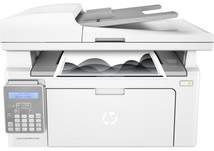
HP LaserJet Ultra MFP M134fn Driver Download
- 9 drivers
- Supports Windows 11
- Windows · macOS · Linux
- ✓ Safe & free
The HP LaserJet Ultra MFP M134fn printer is a versatile model that allows users to print, scan, and copy documents with ease. This machine can connect through a variety of interfaces, including hi-speed USB 2.0 device and host, Ethernet 10/100Base-TX, and a phone line-in and out, making it accessible to a wide range of users. The printer comes equipped with a variety of essential components, including an HP laserjet Toner cartridge, and HP laserjet Imaging drum, and a power cord. These items ensure that users can start using the printer immediately after setup. With a product number of G3Q67A, this particular model of printer is easily distinguishable from other printers on the market. Its multifunction capabilities and versatile connectivity options make it an excellent choice for businesses and individuals who need a reliable and efficient printing solution.
HP LaserJet Ultra MFP M134fn Driver Downloads
| Driver | Operating System | Version | Size | Download |
|---|---|---|---|---|
| Full Feature Drivers Recommended | Windows 11Windows 10Windows 8.1Windows 8Windows 7 | — | 240.9 MB | Download |
| Basic | Windows 10Windows 8.1Windows 8Windows 7Windows VistaWindows XP | — | 58.5 MB | Download |
| Basic | Windows 11Windows 10Windows 8.1Windows 8Windows 7 | — | 66.1 MB | Download |
| Easy Start Printer Setup | Windows 11Windows 10 | — | 11.3 MB | Download |
| Easy Start Printer Setup | Windows 8.1Windows 8 | — | 11.3 MB | Download |
| Easy Start Printer Setup | Windows 7 | — | 11.3 MB | Download |
| ePrint Software Network and Wireless Connected Printers | Windows 10Windows 8.1Windows 8Windows 7 | — | 26.2 MB | Download |
| ePrint Software Network and Wireless Connected Printers | Windows 10Windows 8.1Windows 8Windows 7 | — | 31.2 MB | Download |
| Easy Start Printer Setup | macOS | — | 9.1 MB | Download |
How to Install the HP LaserJet Ultra MFP M134fn Driver
- Click the recommended driver package above and save the file to your PC.
- Open the downloaded file and follow the on-screen HP installer.
- Connect the LaserJet Ultra MFP M134fn by USB or network when prompted.
- Finish and print a test page to confirm the driver works.