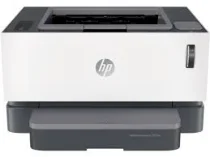
HP Neverstop Laser 1001nw Driver Download
- 7 drivers
- Supports Windows 11
- Windows · macOS · Linux
- ✓ Safe & free
The HP Neverstop Laser 1001nw printer boasts modern laser print technology, making it a must-have for any office. With the product number 5HG80A, it stands out from other printers in the same series as a distinguishing sanctifier. This printer model supports a hi-speed USB 2.0 port, a built-in Wi-Fi 802.11 b/g/n, and a fast Ethernet 10/100 component, making it incredibly versatile and easy to use. To ensure optimal performance, it's important to create the right working environment for the HP Neverstop Laser 1001nw. And with the HP Neverstop Laser 1001nw driver, you can enjoy full feature, easy start, and basic compatibility for Windows operating systems. Investing in the HP Neverstop Laser 1001nw is a wise choice for any business looking to streamline their printing process with cutting-edge technology.
HP Neverstop Laser 1001nw Driver Downloads
| Driver | Operating System | Version | Size | Download |
|---|---|---|---|---|
| Full Feature Drivers and Software Solution Recommended | Windows 11Windows 10Windows 8.1Windows 8Windows 7 | — | 85.2 MB | Download |
| Basic Driver IT Professional Use only | Windows 10Windows 8.1Windows 8Windows 7 | — | 40.4 MB | Download |
| Basic Driver IT Professional Use only | Windows 11Windows 10Windows 8.1Windows 8Windows 7 | — | 44.6 MB | Download |
| Easy Start Printer Setup Software Offline Use Only | Windows 11Windows 10Windows 8.1Windows 8Windows 7 | — | 156 MB | Download |
| Easy Start Printer Setup | Windows 11Windows 10 | — | 11.3 MB | Download |
| Easy Start Printer Setup | Windows 8.1Windows 8 | — | 11.3 MB | Download |
| Easy Start Printer Setup | Windows 7 | — | 11.3 MB | Download |
How to Install the HP Neverstop Laser 1001nw Driver
- Click the recommended driver package above and save the file to your PC.
- Open the downloaded file and follow the on-screen HP installer.
- Connect the Neverstop Laser 1001nw by USB or network when prompted.
- Finish and print a test page to confirm the driver works.