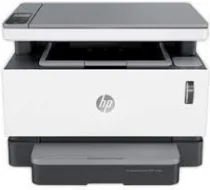
HP Neverstop Laser 1201n Driver Download
- 8 drivers
- Supports Windows 11
- Windows · macOS · Linux
- ✓ Safe & free
The HP Neverstop Laser 1201n printer boasts standard connectivity options, which include a USB 2.0 hi-speed port and a fast Ethernet 10/100 Base component. When it comes to copying, this device is equipped with a range of features that allow users to change the number of copies, adjust contrast for lighter or darker output, optimize, and select paper choices. Moreover, this copying feature can produce up to 99 copies from a single original document. The reduction and enlargement limits are impressive, ranging from 25 to 400% in gradual increments. The HP Neverstop Laser 1201n full solution driver is another standout feature, as it includes everything you need to install and use your HP printer with ease. With this driver, you can rest assured that your printer will function optimally and provide top-quality results every time.
HP Neverstop Laser 1201n Driver Downloads
| Driver | Operating System | Version | Size | Download |
|---|---|---|---|---|
| Full Feature Driver Recommended | Windows 11Windows 10Windows 8.1Windows 8Windows 7 | — | 225.8 MB | Download |
| Basic Drivers IT Professional Use only | Windows 10Windows 8.1Windows 8Windows 7 | — | 54.5 MB | Download |
| Basic Drivers IT Professional Use only | Windows 11Windows 10Windows 8.1Windows 8Windows 7 | — | 62.2 MB | Download |
| EasyStart Printer Setup Software Offline Use Only | Windows 11Windows 10Windows 8.1Windows 8Windows 7 | — | 296.7 MB | Download |
| Easy Start Printer Setup | Windows 11Windows 10 | — | 11.4 MB | Download |
| Easy Start Printer Setup | Windows 8.1Windows 8 | — | 11.4 MB | Download |
| Easy Start Printer Setup | Windows 7 | — | 11.4 MB | Download |
| Easy Start | macOS | — | 9.1 MB | Download |
How to Install the HP Neverstop Laser 1201n Driver
- Click the recommended driver package above and save the file to your PC.
- Open the downloaded file and follow the on-screen HP installer.
- Connect the Neverstop Laser 1201n by USB or network when prompted.
- Finish and print a test page to confirm the driver works.