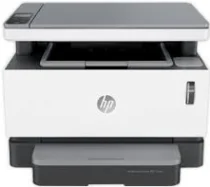
HP Neverstop Laser MFP 1202nw Driver Download
- 7 drivers
- Supports Windows 11
- Windows · macOS · Linux
- ✓ Safe & free
The HP Neverstop Laser MFP 1202nw boasts a distinct model number, 5HG93A, that sets it apart from other printer models. Along with this, the package comes equipped with a preinstalled HP Black Original imaging drum that can yield up to 5000 pages, and an impressive 20,000 pages in practical use. Additionally, the package includes a reference guide, setup guide, regulatory flyer, support flyer, warranty guide, and essential cables such as power and USB. To ensure optimal performance, the HP Neverstop Laser MFP 1202nw requires a Full Feature Driver for Windows with a size of 219.71 MB. This driver allows for seamless integration with your computer and assists in the smooth operation of the printer's multifunctional capabilities. Investing in the HP Neverstop Laser MFP 1202nw ensures a high-quality printing experience, with its unique model number, impressive page yields, and comprehensive package contents.
HP Neverstop Laser MFP 1202nw Driver Downloads
| Driver | Operating System | Version | Size | Download |
|---|---|---|---|---|
| Full Feature Driver Recommended | Windows 11Windows 10Windows 8.1Windows 8Windows 7 | — | 225.8 MB | Download |
| Basic Driver IT Professional Use only | Windows 10Windows 8.1Windows 8Windows 7 | — | 54.5 MB | Download |
| Basic Driver IT Professional Use only | Windows 11Windows 10Windows 8.1Windows 8Windows 7 | — | 62.2 MB | Download |
| Easy Start Printer Setup Software Offline Use Only | Windows 11Windows 10Windows 8.1Windows 8Windows 7 | — | 296.7 MB | Download |
| Easy Start Printer Setup | Windows 11Windows 10 | — | 11.3 MB | Download |
| Easy Start Printer Setup | Windows 8.1Windows 8 | — | 11.3 MB | Download |
| Easy Start Printer Setup | Windows 7 | — | 11.3 MB | Download |
How to Install the HP Neverstop Laser MFP 1202nw Driver
- Click the recommended driver package above and save the file to your PC.
- Open the downloaded file and follow the on-screen HP installer.
- Connect the Neverstop Laser MFP 1202nw by USB or network when prompted.
- Finish and print a test page to confirm the driver works.