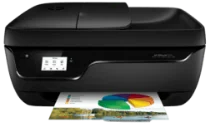
HP OfficeJet 3834 Driver Download
- 8 drivers
- Supports Windows
- Windows · macOS · Linux
- ✓ Safe & free
In today's world, people are seeking flexible solutions to meet their printing, scanning, and copying needs. This is where the popularity of all-in-one printers comes into play. Rather than purchasing separate machines for each function, opting for a single device that can perform all tasks is much more convenient. It not only saves space but also helps save money. For small businesses and homes, HP OfficeJet 3834 is an excellent choice. This all-in-one printer comes with the functions of a printer, scanner, copier, and fax. It is a versatile device that can cater to all your printing needs effortlessly. By using this printer, you can not only increase your productivity, but also save time and effort. So, instead of using different machines for different purposes, choose HP OfficeJet 3834 and enjoy the benefits of an all-in-one printer.
HP OfficeJet 3834 Driver Downloads
| Driver | Operating System | Version | Size | Download |
|---|---|---|---|---|
| Full Feature Drivers Recommended | Windows | — | 167.1 MB | Download |
| Basic Drivers IT Professional Use only | Windows 10Windows 8.1Windows 8Windows 7Windows VistaWindows XP | — | 58.6 MB | Download |
| Basic Drivers IT Professional Use only | Windows 11Windows 10Windows 8.1Windows 8Windows 7 | — | 62.2 MB | Download |
| Basic | Windows Vista | — | 62.2 MB | Download |
| Easy Start Printer Setup | Windows 11Windows 10Windows 8.1Windows 8Windows 7 | — | 9.8 MB | Download |
| ePrint Software Network and Wireless Connected Printers | Windows 10Windows 8.1Windows 8Windows 7 | — | 26.2 MB | Download |
| ePrint Software Network and Wireless Connected Printers | Windows 10Windows 8.1Windows 8Windows 7 | — | 31.2 MB | Download |
| HP Easy Start | macOS | — | 9.1 MB | Download |
How to Install the HP OfficeJet 3834 Driver
- Click the recommended driver package above and save the file to your PC.
- Open the downloaded file and follow the on-screen HP installer.
- Connect the OfficeJet 3834 by USB or network when prompted.
- Finish and print a test page to confirm the driver works.