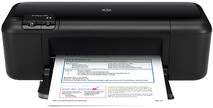
HP Officejet 4000 Driver Download
HPFree Download
- 4 drivers
- Supports Windows 10
- Windows · macOS · Linux
- ✓ Safe & free
Introducing the HP Officejet 4000, a remarkable addition to the printer family that boasts a distinctive design and exceptional quality. With its part number CQ780A, the HP Officejet 4000, also known as K210a, is truly a force to be reckoned with. Measuring in at a height of 5.6 inches, a width of 17 inches, a depth of 19 inches, and a weight of 6 pounds, the physical dimensions of the HP Officejet 4000 are both compact and sturdy. This printer is capable of producing outstanding quality, making it an ideal choice for professionals who demand excellence in their printing output. With its unique design and powerful capabilities, the HP Officejet 4000 is truly a standout in the world of printing technology.
Ad
HP Officejet 4000 Driver Downloads
| Driver | Operating System | Version | Size | Download |
|---|---|---|---|---|
| Full Feature Drivers Recommended | Windows 10Windows 8.1Windows 8 | — | 108.6 MB | Download |
| Full Feature Drivers | Windows 7Windows VistaWindows XP | — | 95.8 MB | Download |
| Basic Drivers | Windows 7Windows VistaWindows XP | — | 28.5 MB | Download |
| Full Feature Drivers | macOS | — | 83.5 MB | Download |
Ad
How to Install the HP Officejet 4000 Driver
- Click the recommended driver package above and save the file to your PC.
- Open the downloaded file and follow the on-screen HP installer.
- Connect the Officejet 4000 by USB or network when prompted.
- Finish and print a test page to confirm the driver works.
Frequently Asked Questions
Which Officejet 4000 driver should I download?
For most users the Full Feature / Full Solution package is recommended, as it includes printing plus scanning where supported. Choose a basic print driver if you only need to print.
Are these Officejet 4000 driver files safe to install?
Yes. Each file is the manufacturer driver and every download shows its exact file size so you can confirm the correct package before installing.
Ad