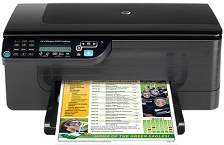
HP Officejet 4500 Desktop Driver Download
- 10 drivers
- Supports Windows 10
- Windows · macOS · Linux
- ✓ Safe & free
The HP Officejet 4500 is a versatile all-in-one printer that can fulfill all your home or office needs. This printer is designed to print with higher quality at lower costs, making it an efficient and cost-effective option. In addition to its superior printing capabilities, the HP Officejet 4500 is also highly productive and reliable. It has an ENERGY STAR certification, which means it meets strict energy efficiency guidelines. This makes it a great choice for businesses that are looking to reduce their environmental impact and save on energy costs. One of the standout features of this printer is its high speed USB flash drive connectivity port. This allows you to print directly from a USB drive without the need for a computer. This feature is especially useful for those who frequently print documents or images from their portable devices. Overall, the HP Officejet 4500 is a powerful and efficient all-in-one printer that can handle all your printing needs. Its combination of high-quality printing, productivity, reliability, and energy efficiency make it an excellent choice for any home or office.The HP Officejet 4500 Desktop driver is fully compatible with Windows XP, Windows Vista, and Windows 7. To install the firmware and other software on Windows 7, a minimum of 1 GHz processor, 1 GB of RAM, and 1100 MB of free storage is required. For Windows XP, the system should have an Intel Pentium II processor, 512 MB of RAM, and more than 700 MB of free disk space. In addition, the printer can be easily supported by the latest Windows 8 and Windows 10 operating systems.Computers running Mac OS X 10.4.11 through version 10.6 are compatible with the Macintosh operating system. To use the HP Officejet 4500 Desktop printer, an Intel Core processor, 256 MB of RAM, and 500 MB of free storage are required. The good news is that the printer driver has full compatibility with the latest Mac OS X 10.14 (Mojave).
HP Officejet 4500 Desktop Driver Downloads
| Driver | Operating System | Version | Size | Download |
|---|---|---|---|---|
| Full Feature Driver Recommended | Windows 10Windows 8.1Windows 8 | — | 209.4 MB | Download |
| Full Feature Driver | Windows 7Windows VistaWindows XP | — | 213 MB | Download |
| Basic Print and Scan | Windows 8.1Windows 8 | — | 38.4 MB | Download |
| Basic Print and Scan | Windows 8.1Windows 8 | — | 40 MB | Download |
| Basic Print and Scan | Windows 7Windows VistaWindows XP | — | 62.1 MB | Download |
| Basic Print and Scan Driver IT Professional Use Only | Windows 7Windows VistaWindows XP | — | 22.6 MB | Download |
| Basic Print and Scan Driver IT Professional Use Only | Windows 7Windows Vista | — | 23.6 MB | Download |
| Full Feature Driver | macOS | — | 187.2 MB | Download |
| Full Feature Drivers | macOS | — | 181.3 MB | Download |
| Full Feature Driver and Software Universal | macOS | — | 177.6 MB | Download |
How to Install the HP Officejet 4500 Desktop Driver
- Click the recommended driver package above and save the file to your PC.
- Open the downloaded file and follow the on-screen HP installer.
- Connect the Officejet 4500 Desktop by USB or network when prompted.
- Finish and print a test page to confirm the driver works.