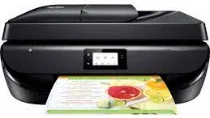
HP Officejet 5258 Driver Download
- 8 drivers
- Supports Windows 11
- Windows · macOS · Linux
- ✓ Safe & free
The HP Officejet 5258 printer is an exceptional all-in-one model that boasts a range of impressive features. One of its standout qualities is its built-in driver for manual duplex printing, which is perfect for those ideal conditions when you need to print on both sides of a sheet of paper. In addition, the HP Officejet 5258 is equipped with a hi-speed USB 2.0 port and Wi-Fi 802.11n dual-band connectivity, making it easy to print wirelessly from your computer or mobile device. When it comes to copying, the device offers a range of options including start black or color copy, the ability to select the number of copies you want to make, and even the ability to copy ID cards. The HP Officejet 5258 produces a resolution of up to 600 x 300 dots per inch (dpi), ensuring crisp and clear copies every time. Overall, the HP Officejet 5258 is a versatile and reliable printer that is well-suited to a range of different printing and copying needs.
HP Officejet 5258 Driver Downloads
| Driver | Operating System | Version | Size | Download |
|---|---|---|---|---|
| Full Feature Driver Recommended | Windows 11Windows 10Windows 8.1Windows 8Windows 7Windows VistaWindows XP | — | 152.2 MB | Download |
| Basic Driver IT Professional Use only | Windows 10Windows 8.1Windows 8Windows 7Windows VistaWindows XP | — | 72 MB | Download |
| Basic Driver IT Professional Use only | Windows 11Windows 10Windows 8.1Windows 8Windows 7 | — | 77.9 MB | Download |
| Universal Fax | Windows 11Windows 10Windows 8.1Windows 7 | — | 16.7 MB | Download |
| Easy Start Printer Setup | Windows 11Windows 10 | — | 11.4 MB | Download |
| Easy Start Printer Setup | Windows 8.1Windows 8 | — | 11.4 MB | Download |
| Easy Start Printer Setup | Windows 7 | — | 11.4 MB | Download |
| Easy Start | macOS | — | 9.1 MB | Download |
How to Install the HP Officejet 5258 Driver
- Click the recommended driver package above and save the file to your PC.
- Open the downloaded file and follow the on-screen HP installer.
- Connect the Officejet 5258 by USB or network when prompted.
- Finish and print a test page to confirm the driver works.