HP Officejet 5608 Driver Download
- 9 drivers
- Supports Windows 10
- Windows · macOS · Linux
- ✓ Safe & free
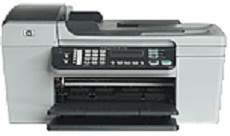
The HP Officejet 5608 is a printer that boasts a physical body with optimal dimensions for both personal and commercial use. Standing tall at 9.25 inches, with a width of 17.13 inches and a depth of 16.46 inches, this machine is perfectly proportioned to fit any workspace. Weighing in at a sturdy 13 pounds, it is built to last. One of the key features of the HP Officejet 5608 is its versatility in terms of media types. It can handle plain paper, envelopes, transparency films, premium photo paper labels, photopapers, and index cards with ease. This makes it an ideal choice for businesses or individuals who require a wide range of printing options. Whether you're printing out important documents for work or creating beautiful photos for personal use, the HP Officejet 5608 has got you covered. Its high-quality printing capabilities and durable design make it a reliable choice for anyone in need of a top-notch printer.
HP Officejet 5608 Driver Downloads
| Driver | Operating System | Version | Size | Download |
|---|---|---|---|---|
| Full Feature Drivers Recommended | Windows 10Windows 8.1Windows 8 | — | 326.2 MB | Download |
| Full Feature Drivers | Windows 7 | — | 362.7 MB | Download |
| Full Feature Drivers | Windows Vista | — | 163.3 MB | Download |
| Basic Print and Scan Driver Corporate Only | Windows XP | — | 68.7 MB | Download |
| Basic Feature Driver | Windows XP | — | 476.5 MB | Download |
| Basic | Windows XP | — | 71 MB | Download |
| Full Feature Drivers | macOS | — | 131.1 MB | Download |
| Full Feature Drivers | macOS | — | 174.8 MB | Download |
| macOS | — | 18.6 MB | Download |
How to Install the HP Officejet 5608 Driver
- Click the recommended driver package above and save the file to your PC.
- Open the downloaded file and follow the on-screen HP installer.
- Connect the Officejet 5608 by USB or network when prompted.
- Finish and print a test page to confirm the driver works.