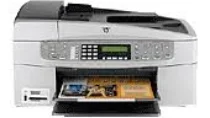
HP Officejet 6318 Driver Download
- 11 drivers
- Supports Windows 10
- Windows · macOS · Linux
- ✓ Safe & free
An all in one printer is a necessity in every office and business organization. The HP Officejet 6318 is a versatile printer that can perform a range of functions including scanning, printing, and faxing. This printer is specifically designed to provide the best experience when it comes to printing multi-page documents. It uses eight unique types of ink cartridges, including the HP 851 black inkjet, to produce high-quality results. For colored printing, the HP 854 tri-color ink cartridge is also included. The HP Officejet 6318 printer is equipped with a range of functions such as color scanning, color copying, color faxing, black and white copying, and more. Despite its range of functions, the printer comes in a compact size that makes it ideal for small businesses and organizations. In summary, the HP Officejet 6318 printer is a reliable choice for those looking for an all in one printer that can handle a range of tasks. Its use of unique ink cartridges and compact size make it an ideal choice for small businesses and organizations.
HP Officejet 6318 Driver Downloads
| Driver | Operating System | Version | Size | Download |
|---|---|---|---|---|
| Full Feature Drivers Recommended | Windows 10Windows 8.1Windows 8 | — | 327.9 MB | Download |
| Full Feature Drivers | Windows 7 | — | 362.7 MB | Download |
| Full Feature Drivers | Windows Vista | — | 163.3 MB | Download |
| Full Feature Drivers | Windows XP | — | 507 MB | Download |
| Full Feature Drivers | Windows XP | — | 473.8 MB | Download |
| Multi Function Products | Windows XP | — | 55.6 MB | Download |
| Multi Function Products | Windows XP | — | 49.9 MB | Download |
| Basic Print and Scan | Windows XP | — | 70.3 MB | Download |
| Basic Print and Scan | Windows XP | — | 51.5 MB | Download |
| Full Feature Drivers | macOS | — | 145.6 MB | Download |
| Full Feature Drivers | macOS | — | 191.2 MB | Download |
How to Install the HP Officejet 6318 Driver
- Click the recommended driver package above and save the file to your PC.
- Open the downloaded file and follow the on-screen HP installer.
- Connect the Officejet 6318 by USB or network when prompted.
- Finish and print a test page to confirm the driver works.