HP OfficeJet 6954 Driver Download
- 9 drivers
- Supports Windows 11
- Windows · macOS · Linux
- ✓ Safe & free
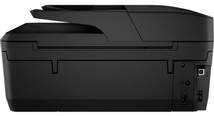
Introducing the Officejet series' exclusive printer, with a unique item number of P4C81A for private identification purposes. This printer boasts multiple means of connectivity, including a USB 2.0 port, a wireless port for 802.11 b/g/n, and an RJ-11 faxing device. The copy specification is equally impressive, with color copy compatibility that covers up to 99 copies from the original. Plus, the copy options allow for adjustable settings of quantity and contrast, resulting in darker or lighter prints. Additionally, the menu choices offer a range of options, including the number of copies, paper type, paper size, two-sided copy, ID copy, and collate copies. With such advanced features, this printer is a must-have for any office or personal printing needs. Get your hands on the Officejet series' exclusive printer today!.
HP OfficeJet 6954 Driver Downloads
| Driver | Operating System | Version | Size | Download |
|---|---|---|---|---|
| Full Feature Drivers Recommended | Windows 11Windows 10Windows 8.1Windows 8Windows 7 | — | 157.7 MB | Download |
| Basic Driver IT Professional Use only | Windows 10Windows 8.1Windows 8Windows 7Windows VistaWindows XP | — | 64.4 MB | Download |
| Basic Driver IT Professional Use only | Windows 11Windows 10Windows 8.1Windows 8Windows 7 | — | 68.8 MB | Download |
| Easy Start Printer Setup | Windows 11Windows 10 | — | 11.3 MB | Download |
| Easy Start Printer Setup | Windows 8.1Windows 8 | — | 11.3 MB | Download |
| Easy Start Printer Setup | Windows 7 | — | 11.3 MB | Download |
| ePrint Software Network and Wireless Connected Printers | Windows 10Windows 8.1Windows 8Windows 7 | — | 26.2 MB | Download |
| ePrint Software Network and Wireless Connected Printers | Windows 10Windows 8.1Windows 8Windows 7 | — | 31.2 MB | Download |
| Easy Start Printer Setup | macOS | — | 9.1 MB | Download |
How to Install the HP OfficeJet 6954 Driver
- Click the recommended driver package above and save the file to your PC.
- Open the downloaded file and follow the on-screen HP installer.
- Connect the OfficeJet 6954 by USB or network when prompted.
- Finish and print a test page to confirm the driver works.