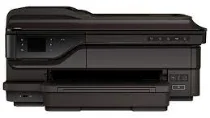
HP Officejet 7610 Driver Download
- 8 drivers
- Supports Windows 10
- Windows · macOS · Linux
- ✓ Safe & free
Cartridges for HP Officejet 7610 When it comes to finding the right cartridges for your HP Officejet 7610 printer, it can be a daunting task. With so many options available, it's easy to get overwhelmed. That's why we've made it our mission to simplify the process for you. Our selection of cartridges for the HP Officejet 7610 includes both genuine HP cartridges and compatible cartridges. Genuine cartridges are manufactured by HP and are designed specifically for your printer. Compatible cartridges are manufactured by third-party companies and are designed to work just as well as genuine cartridges, but at a lower cost. We understand that every customer has different needs and preferences, which is why we offer a wide variety of cartridges for the HP Officejet 7610. Whether you need black or color cartridges, standard or high-yield options, we have you covered. In addition to our extensive selection of cartridges, we also offer competitive pricing and fast shipping. Our goal is to provide you with a hassle-free shopping experience and ensure that you receive your cartridges as quickly as possible. Don't let the search for cartridges for your HP Officejet 7610 stress you out. Trust us to provide you with the quality cartridges you need at a price you can afford. Browse our selection today and find the perfect cartridges for your printer.The Black Inkjet Print HP 932 Cartridge is designed to yield approximately 400 pages of high-quality, smudge-resistant prints. For vibrant and long-lasting color prints, the HP 933XL cyan, magenta, and yellow Ink Cartridges are the perfect choice. Each cartridge is capable of producing approximately 825 pages of vivid and fade-resistant color prints. These cartridges are compatible with select HP printers and deliver outstanding results every time. Get the most out of your printer with these reliable and efficient ink cartridges.
HP Officejet 7610 Driver Downloads
| Driver | Operating System | Version | Size | Download |
|---|---|---|---|---|
| Full Feature Drivers Recommended | Windows 10Windows 8.1Windows 8Windows 7Windows VistaWindows XP | — | 113.6 MB | Download |
| Basic | Windows 10Windows 8.1Windows 8Windows 7Windows VistaWindows XP | — | 27.2 MB | Download |
| Basic | Windows 10Windows 8.1Windows 8Windows 7Windows Vista | — | 29.3 MB | Download |
| Universal Fax | Windows 8.1Windows 8Windows 7Windows VistaWindows XP | — | 11.3 MB | Download |
| Universal Fax Driver XP and Vista Support | Windows | — | 14.6 MB | Download |
| Easy Start Printer Setup | macOS | — | 9.1 MB | Download |
| Full Feature Drivers | macOS | — | 160.4 MB | Download |
| Full Feature Drivers | macOS | — | 222.2 MB | Download |
How to Install the HP Officejet 7610 Driver
- Click the recommended driver package above and save the file to your PC.
- Open the downloaded file and follow the on-screen HP installer.
- Connect the Officejet 7610 by USB or network when prompted.
- Finish and print a test page to confirm the driver works.