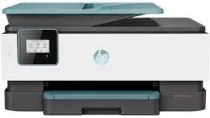
HP OfficeJet 8015 Driver Download
- 5 drivers
- Supports Windows 11
- Windows · macOS · Linux
- ✓ Safe & free
Utilizing the HP OfficeJet 8015 printer model offers users a sense of relaxation with its versatile printing abilities and exceptional output quality. This device boasts a wireless 802.11b/g/n print component through the WiFi port, which provides a variety of connectivity options. When it comes to copying, the HP OfficeJet 8015 offers a plethora of settings including the ability to adjust the number of copies, resize images, select paper size, and modify the contrast to produce lighter or darker images. Additionally, this device supports both black and color document copying, with the ability to produce up to 99 copies. Furthermore, the HP OfficeJet 8015 driver supports both 32 and 64-bit basic drivers, ensuring compatibility with a wide range of systems. With its exceptional printing and copying capabilities, the HP OfficeJet 8015 is a reliable and efficient choice for any professional setting.
HP OfficeJet 8015 Driver Downloads
| Driver | Operating System | Version | Size | Download |
|---|---|---|---|---|
| Full Feature Driver Recommended | Windows 11Windows 10Windows 8.1Windows 8Windows 7 | — | 123.8 MB | Download |
| Basic Driver IT Professional Use only | Windows 11Windows 10Windows 8.1Windows 8Windows 7 | — | 60.7 MB | Download |
| Basic Driver IT Professional Use only | Windows 11Windows 10Windows 8.1Windows 8Windows 7 | — | 68.3 MB | Download |
| Easy Start Printer Setup | Windows 11Windows 10Windows 8.1Windows 8Windows 7 | — | 11.4 MB | Download |
| Easy Start | macOS | — | 9.1 MB | Download |
How to Install the HP OfficeJet 8015 Driver
- Click the recommended driver package above and save the file to your PC.
- Open the downloaded file and follow the on-screen HP installer.
- Connect the OfficeJet 8015 by USB or network when prompted.
- Finish and print a test page to confirm the driver works.