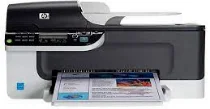
HP Officejet J4580 Driver Download
- 9 drivers
- Supports Windows 10
- Windows · macOS · Linux
- ✓ Safe & free
HP Officejet J4580 cartridges are an essential component of your printer. These cartridges come in different types and sizes to suit your printing needs. They are designed to work seamlessly with your printer, delivering high-quality prints every time. The HP Officejet J4580 cartridges utilize advanced printing technologies to produce crisp and clear images. They are engineered to deliver maximum performance and reliability, ensuring that your printer works efficiently and effectively. Whether you are printing documents, photos, or graphics, these cartridges can handle the job. There are different types of HP Officejet J4580 cartridges available, including black, cyan, magenta, and yellow. Each cartridge is designed to produce a specific color, allowing you to create stunning prints with exceptional color accuracy. They also come in different sizes, enabling you to choose the cartridge that best suits your printing needs. When it comes to replacing your HP Officejet J4580 cartridges, it is essential to choose genuine HP cartridges. Genuine cartridges are specifically designed to work with your printer, ensuring that you get the best possible results. They are also backed by HP's warranty, giving you peace of mind and protection against any defects or issues. In conclusion, HP Officejet J4580 cartridges are an essential component of your printer, delivering high-quality prints every time. They come in different types and sizes to suit your printing needs and are designed to work seamlessly with your printer. Choosing genuine HP cartridges is crucial to ensure that you get the best possible results.The HP 901 cartridge is a reliable choice for black inkjet printing, capable of producing up to 200 pages of high-quality text and graphics. For those in need of a more vibrant color option, the HP 901 Tri-color Original Ink Cartridge is an excellent choice, offering up to 360 pages of vivid and accurate hues. With both cartridges, you can trust in the superior performance and durability of HP's technology. So whether you're printing important documents or eye-catching presentations, choose the HP 901 series for unbeatable results.
HP Officejet J4580 Driver Downloads
| Driver | Operating System | Version | Size | Download |
|---|---|---|---|---|
| Full Feature Drivers Recommended | Windows 10Windows 8.1Windows 8 | — | 215.5 MB | Download |
| Full Feature Drivers | Windows 7 | — | 293.5 MB | Download |
| Basic Print and Scan | Windows 7 | — | 133.5 MB | Download |
| Full Feature Drivers | Windows VistaWindows XP | — | 253.8 MB | Download |
| Basic Driver IT Professional Use Only | Windows VistaWindows XP | — | 53.4 MB | Download |
| Basic Driver IT Professional Use Only | Windows VistaWindows XP | — | 51.9 MB | Download |
| Basic Print and Scan | Windows VistaWindows XP | — | 119.1 MB | Download |
| Full Feature Drivers | macOS | — | 139.3 MB | Download |
| Full Feature Drivers | macOS | — | 245 MB | Download |
How to Install the HP Officejet J4580 Driver
- Click the recommended driver package above and save the file to your PC.
- Open the downloaded file and follow the on-screen HP installer.
- Connect the Officejet J4580 by USB or network when prompted.
- Finish and print a test page to confirm the driver works.