HP OfficeJet Pro 8022 Driver Download
- 4 drivers
- Supports Windows 11
- Windows · macOS · Linux
- ✓ Safe & free
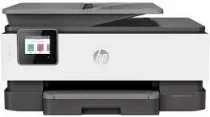
The HP OfficeJet Pro 8022 all-in-one printer boasts a range of multifunctional attributes, including printing, copying, scanning, and faxing capabilities. Its supported drivers are extensive, featuring network protocols such as 9100, LPR, SLP, SNMP, wireless driver, WS-Print, and even an Internet Printing Protocol (IPP). When it comes to connectivity, the machine offers an Ethernet port, a wireless 802.11 b/g/n component, and an RJ-11 fax feature. Whether you need to connect to the printer via cable or wirelessly, the HP OfficeJet Pro 8022 has you covered. For those running Windows operating systems, the HP OfficeJet Pro 8022 universal fax driver has a size of 14.58 MB. This ensures seamless and efficient faxing capabilities, allowing you to focus on your work without any frustrating interruptions. Overall, the HP OfficeJet Pro 8022 all-in-one printer is a versatile and reliable choice for any office or home workspace. With its comprehensive range of features and supported drivers, you can enjoy seamless and efficient printing, copying, scanning, and faxing capabilities.
HP OfficeJet Pro 8022 Driver Downloads
| Driver | Operating System | Version | Size | Download |
|---|---|---|---|---|
| Full Feature Driver Recommended | Windows 11Windows 10Windows 8.1Windows 8Windows 7 | — | 208.4 MB | Download |
| Universal Fax | Windows 11Windows 10Windows 8.1Windows 7 | — | 16.7 MB | Download |
| Easy Start Printer Setup | Windows 11Windows 10Windows 8.1Windows 8Windows 7 | — | 11.4 MB | Download |
| Easy Start | macOS | — | 9.1 MB | Download |
How to Install the HP OfficeJet Pro 8022 Driver
- Click the recommended driver package above and save the file to your PC.
- Open the downloaded file and follow the on-screen HP installer.
- Connect the OfficeJet Pro 8022 by USB or network when prompted.
- Finish and print a test page to confirm the driver works.