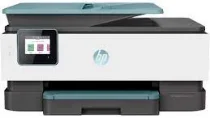
HP OfficeJet Pro 8025 Driver Download
- 4 drivers
- Supports Windows 11
- Windows · macOS · Linux
- ✓ Safe & free
The HP OfficeJet Pro 8025 is a top-of-the-line multifunctional printer that offers exceptional printing, copying, and scanning capabilities. Using innovative HP thermal inkjet print technology, this printer delivers superior print quality and output speed. One of the standout features of this printer is its automatic standard duplex component, which allows for effortless double-sided printing. With a print speed of up to 29 pages per minute for black document printing on letter-sized papers, the HP OfficeJet Pro 8025 is a true powerhouse. And when it comes to driver support, the HP OfficeJet Pro 8025 has you covered. With 32 and 64-bit full feature drivers available for Windows, you can rest assured that this printer will work seamlessly with your operating system. Experience the best in printing, copying, and scanning with the HP OfficeJet Pro 8025 - the ultimate choice for professionals who demand nothing but the best.
HP OfficeJet Pro 8025 Driver Downloads
| Driver | Operating System | Version | Size | Download |
|---|---|---|---|---|
| Full Feature Driver Recommended | Windows 11Windows 10Windows 8.1Windows 8Windows 7 | — | 208.4 MB | Download |
| Universal Fax | Windows 11Windows 10Windows 8.1Windows 7 | — | 16.7 MB | Download |
| Easy Start Printer Setup | Windows 11Windows 10Windows 8.1Windows 8Windows 7 | — | 11.4 MB | Download |
| Easy Start | macOS | — | 9.1 MB | Download |
How to Install the HP OfficeJet Pro 8025 Driver
- Click the recommended driver package above and save the file to your PC.
- Open the downloaded file and follow the on-screen HP installer.
- Connect the OfficeJet Pro 8025 by USB or network when prompted.
- Finish and print a test page to confirm the driver works.