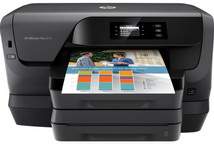
HP OfficeJet Pro 8218 Driver Download
- 17 drivers
- Supports Windows 11
- Windows · macOS · Linux
- ✓ Safe & free
The HP Officejet Pro 8218 printer is part of the same series as the HP Officejet Pro 8210 and 8216 printers. This versatile device offers multiple connectivity options, including a Wired Ethernet LAN port and wireless ultra 802.11 b/g/n component. Additionally, it features a standard hi-speed USB 2.0 port, Wi-Fi Direct network, and the HP all-in-one Printer Remote mobile app for added convenience. With its advanced connectivity options, the HP Officejet Pro 8218 printer can easily integrate into any network environment. Whether you prefer a wired or wireless connection, this printer has you covered. The ultra 802.11 b/g/n component delivers fast wireless speeds, while the Wired Ethernet LAN port provides a reliable, high-speed connection. In addition to its connectivity options, the HP Officejet Pro 8218 printer also features the HP all-in-one Printer Remote mobile app. This app allows you to easily manage your printer from your mobile device, giving you greater flexibility and control over your printing tasks. Overall, the HP Officejet Pro 8218 printer is a powerful and versatile device that offers a range of advanced features and connectivity options. Whether you're printing from your desktop or mobile device, this printer delivers exceptional results every time.
HP OfficeJet Pro 8218 Driver Downloads
| Driver | Operating System | Version | Size | Download |
|---|---|---|---|---|
| Full Feature Drivers Recommended | Windows 11Windows 10Windows 8.1Windows 8Windows 7 | — | 85 MB | Download |
| Basic Driver IT Professional Use only | Windows 10Windows 8.1Windows 8Windows 7Windows VistaWindows XP | — | 47 MB | Download |
| Basic Driver IT Professional Use only | Windows 11Windows 10Windows 8.1Windows 8Windows 7 | — | 48.6 MB | Download |
| PCL6 Universal Print | Windows 11Windows 10Windows 8.1Windows 8Windows 7 | — | 18.3 MB | Download |
| PCL6 Universal Print | Windows 11Windows 10Windows 8.1Windows 8Windows 7 | — | 20.7 MB | Download |
| PostScript Universal Print | Windows 11Windows 10Windows 8.1Windows 8Windows 7 | — | 19.5 MB | Download |
| PostScript Universal Print | Windows 11Windows 10Windows 8.1Windows 8Windows 7 | — | 21.8 MB | Download |
| USB Connected PCL6 Universal Print | Windows 11Windows 10Windows 8.1Windows 8Windows 7 | — | 18.4 MB | Download |
| USB Connected PCL6 Universal Print | Windows 11Windows 10Windows 8.1Windows 8Windows 7 | — | 20.7 MB | Download |
| USB Connected PostScript Universal Print | Windows 11Windows 10Windows 8.1Windows 8Windows 7 | — | 19.6 MB | Download |
| USB Connected PostScript Universal Print | Windows 11Windows 10Windows 8.1Windows 8Windows 7 | — | 21.9 MB | Download |
| Easy Start Printer Setup | Windows 11Windows 10 | — | 9.9 MB | Download |
| Easy Start Printer Setup | Windows 8.1Windows 8 | — | 9.9 MB | Download |
| Easy Start Printer Setup | Windows 7 | — | 9.9 MB | Download |
| ePrint Software Network and Wireless Connected Printers | Windows 10Windows 8.1Windows 8Windows 7 | — | 26.2 MB | Download |
| ePrint Software Network and Wireless Connected Printers | Windows 10Windows 8.1Windows 8Windows 7 | — | 31.2 MB | Download |
| Easy Start Printer Setup | macOS | — | 9.1 MB | Download |
How to Install the HP OfficeJet Pro 8218 Driver
- Click the recommended driver package above and save the file to your PC.
- Open the downloaded file and follow the on-screen HP installer.
- Connect the OfficeJet Pro 8218 by USB or network when prompted.
- Finish and print a test page to confirm the driver works.