HP Officejet Pro 8500 Premier Driver Download
- 12 drivers
- Supports Windows 10
- Windows · macOS · Linux
- ✓ Safe & free
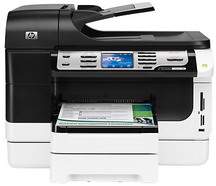
HP Officejet Pro 8500 Printer OverviewThe HP Officejet Pro 8500 Premier All-in-One Printer – A909n, identified by product number CB025A, is a powerful device that shares similarities with the HP Officejet Pro 8500 Wireless All-in-One Printer – A909g. This printer boasts physical dimensions of 19.5 x 13 x 18.9 inches (HWD) and a weight of 34 lbs when the second tray is attached. However, with the optional duplexer installed, the weight drops to 28 lbs.Cartridges and PrintheadsThe HP 940 Black/Yellow Officejet Printhead with part number C4900A is the designated printhead for this device. Its counterpart is the HP 940 Magenta/Cyan Officejet Printhead. These printheads are crucial components in the printing process as they are responsible for depositing ink onto the paper. It is important to use the correct printhead for optimal printing performance and to avoid damage to the device. Therefore, it is recommended that you only use genuine HP parts for replacement. Remember, the quality of your prints is only as good as the quality of your printhead.The required cartridges are;1. The HP 940XL Black Officejet Ink Cartridge is a high-capacity ink cartridge designed for use with HP Officejet printers. It provides reliable and consistent performance, delivering sharp, professional-quality documents and images. 2. The HP 940 Black Officejet Ink Cartridge is specifically designed for use in North America. It is a standard-capacity ink cartridge that delivers high-quality prints with crisp, clear text and vibrant colors. 3. The HP 940XL Cyan Officejet Ink Cartridge is a high-capacity ink cartridge designed to work seamlessly with HP Officejet printers. It delivers exceptional print quality, producing vivid, true-to-life colors and sharp, clear text. 4. The HP 940 Cyan Officejet Ink Cartridge is designed for use in North America and provides reliable, high-quality printing. It is a standard-capacity ink cartridge that delivers consistent results, from crisp text to vibrant graphics. 5. The HP 940XL Magenta Officejet Ink Cartridge is a high-capacity ink cartridge that delivers exceptional print quality. It is designed to work seamlessly with HP Officejet printers, producing vivid, true-to-life colors and sharp, clear text. 6. The HP 940 Magenta Officejet Ink Cartridge is a standard-capacity ink cartridge designed for use in North America. It delivers reliable, high-quality printing, from crisp text to vibrant graphics. 7. The HP 940XL Yellow Officejet Ink Cartridge is a high-capacity ink cartridge that delivers exceptional print quality. It is designed to work seamlessly with HP Officejet printers, producing vivid, true-to-life colors and sharp, clear text. 8. The HP 940 Yellow Officejet Ink Cartridge is a standard-capacity ink cartridge designed for use in North America. It provides reliable, high-quality printing, from crisp text to vibrant graphics.System requirementsHP Officejet Pro 8500 Premier Printer Driver DownloadsDriver for WindowsThe HP Officejet Pro 8500 Premier drivers are compatible with several versions of Windows including Windows 2000, Windows XP (32-bit and 64-bit), Windows Vista, and Windows 7. However, each of these versions has specific system requirements that need to be met. For example, to run the drivers on Windows 2000 and Windows XP (32-bit), your system needs to have at least an Intel Pentium II or Celeron processor. However, HP recommends using an Intel Pentium III or higher processor for optimal performance. If you're using Windows XP (64-bit), your system must have an AMD Athlon 64, AMD Opteron, or Intel Xeon processor with Intel EMG4T. The manufacturer recommends using an Intel Pentium 4 processor with Intel EMG4T for better results. On the other hand, to run these drivers on Windows Vista or Windows 7, your system must have a minimum processor speed of 800 MHz. However, using a 1 GHz processor is recommended for the best performance. In summary, if you want to use the HP Officejet Pro 8500 Premier drivers on your computer, make sure your system meets the necessary processor requirements for your version of Windows.According to technical specifications, the minimum RAM requirement for Windows 2000 and Windows XP is 128 MB, with a recommended size of 256 MB. Conversely, the RAM size necessary for Windows Vista and Windows 7 is 512 MB, although HP suggests a minimum of 1 GB or more.Prior to software execution, a minimum of 200 MB of available disk space is required for Windows 2000 and Windows XP (32-bit) operating systems. For Windows XP (64-bit), the prerequisite is a free space of 410 MB. In the case of Windows Vista, a minimum of 765 MB of disk space must be accessible, although a recommended capacity of 1.5 GB is preferable. Please ensure that adequate storage capacity is available on your device before initiating software operations.
HP Officejet Pro 8500 Premier Driver Downloads
| Driver | Operating System | Version | Size | Download |
|---|---|---|---|---|
| Full Feature Driver Recommended | Windows 10Windows 8.1Windows 8 | — | 260.8 MB | Download |
| Full Feature Driver | Windows 7Windows VistaWindows XP | — | 296.1 MB | Download |
| Print and Scan Driver IT Professional Use Only | Windows 8.1Windows 8 | — | 65.2 MB | Download |
| Print and Scan Driver IT Professional Use Only | Windows 8.1Windows 8 | — | 67.2 MB | Download |
| Basic Driver IT Professional Use Only | Windows 7 | — | 90.1 MB | Download |
| Basic Driver IT Professional Use Only | Windows 7Windows Vista | — | 92.7 MB | Download |
| Basic Driver IT Professional Use Only | Windows XP | — | 4.6 MB | Download |
| Basic Print and Scan | Windows 7Windows VistaWindows XP | — | 241.4 MB | Download |
| ePrint Software Network and Wireless Connected Printers | Windows 10Windows 8.1Windows 8Windows 7 | — | 26.2 MB | Download |
| ePrint Software Network and Wireless Connected Printers | Windows 10Windows 8.1Windows 8Windows 7 | — | 31.2 MB | Download |
| Full Feature Drivers | macOS | — | 127.5 MB | Download |
| Full Feature Driver and Software Universal | macOS | — | 168.7 MB | Download |
How to Install the HP Officejet Pro 8500 Premier Driver
- Click the recommended driver package above and save the file to your PC.
- Open the downloaded file and follow the on-screen HP installer.
- Connect the Officejet Pro 8500 Premier by USB or network when prompted.
- Finish and print a test page to confirm the driver works.