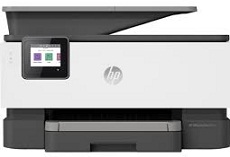
HP OfficeJet Pro 9010 Driver Download
- 3 drivers
- Supports Windows 11
- Windows · macOS · Linux
- ✓ Safe & free
The HP OfficeJet Pro 9010 is a versatile printer that offers multifunctional capabilities, including printing, copying, scanning, and faxing documents. With a paper holding capacity of up to 250 plain paper sheets, this machine can easily handle large print jobs. It can also accommodate up to 50 sheets of plain paper or 30 envelopes for added convenience. When it comes to output capacity, the HP OfficeJet Pro 9010 can handle up to 60 sheets of paper at once. This printer is compatible with standard media sizes, including A4, A5, A6, B5, DL, C5, and C6 envelopes, making it a versatile option for any office setting. For Windows users, the HP OfficeJet Pro 9010 Universal Fax Driver is available for download and has a size of 14.64 MB. With this driver installed, users can easily send and receive faxes from their computer, simplifying the overall printing process.
HP OfficeJet Pro 9010 Driver Downloads
| Driver | Operating System | Version | Size | Download |
|---|---|---|---|---|
| Full Feature Driver Recommended | Windows 11Windows 10Windows 8.1Windows 8Windows 7 | — | 310 MB | Download |
| Easy Start Printer Setup | Windows 11Windows 10Windows 8.1Windows 8Windows 7 | — | 11.3 MB | Download |
| Universal Fax | Windows 11Windows 10Windows 8.1Windows 7 | — | 16.7 MB | Download |
How to Install the HP OfficeJet Pro 9010 Driver
- Click the recommended driver package above and save the file to your PC.
- Open the downloaded file and follow the on-screen HP installer.
- Connect the OfficeJet Pro 9010 by USB or network when prompted.
- Finish and print a test page to confirm the driver works.