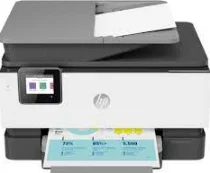
HP OfficeJet Pro 9012 Driver Download
- 4 drivers
- Supports Windows 11
- Windows · macOS · Linux
- ✓ Safe & free
The HP OfficeJet Pro 9012 printer model is packed with a variety of items that are included in its box. These items include the following: - HP 963 Setup Black Ink Cartridge that has the ability to print up to 1000 pages - HP 963 Setup Cyan, Magenta, and Yellow Original Ink Cartridges that can print up to 700 pages of each color - Ink caution flyer - Power cord - Setup poster - Reference guide In addition to the items mentioned above, the HP OfficeJet Pro 9012 driver is supported by the following operating systems: - Windows 10, 8.1, 8, 7 - Windows Server 2008 R2 64-bit, 2012 R2 64-bit, 2016 64-bit - Mac OS X v10.11 El Capitan, macOS Sierra v10.12 (previously OS X), macOS High Sierra v10.13, macOS Mojave v10.14 - Linux (For more information, please visit the HP website) With its impressive features and high-quality performance, the HP OfficeJet Pro 9012 printer is an excellent choice for professionals who demand the best in printing technology.
HP OfficeJet Pro 9012 Driver Downloads
| Driver | Operating System | Version | Size | Download |
|---|---|---|---|---|
| Full Feature Driver Recommended | Windows 11Windows 10Windows 8.1Windows 8Windows 7 | — | 310 MB | Download |
| Universal Fax | Windows 11Windows 10Windows 8.1Windows 7 | — | 16.7 MB | Download |
| Easy Start Printer Setup | Windows 11Windows 10Windows 8.1Windows 8Windows 7 | — | 11.4 MB | Download |
| Easy Start | macOS | — | 9.1 MB | Download |
How to Install the HP OfficeJet Pro 9012 Driver
- Click the recommended driver package above and save the file to your PC.
- Open the downloaded file and follow the on-screen HP installer.
- Connect the OfficeJet Pro 9012 by USB or network when prompted.
- Finish and print a test page to confirm the driver works.