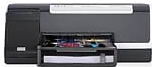
HP Officejet Pro K5400n Driver Download
- 7 drivers
- Supports Windows Vista
- Windows · macOS · Linux
- ✓ Safe & free
The HP Officejet Pro K5400n printer presents a comprehensive printing solution with its cutting-edge features. Utilizing the drop-on-demand thermal inkjet technology, this printer delivers high-quality prints with ease. Its draft mode boasts an impressive speed of up to 36 pages per minute for black and 35 pages per minute for mixed color graphics. With a monthly duty cycle of up to 7500 printed pages per month, this printer can handle heavy printing tasks with ease. Not only is this printer efficient, but it also consumes minimal power, using only 32 watts. This feature makes it an ideal choice for eco-conscious individuals and businesses alike. Trust the HP Officejet Pro K5400n printer to provide you with top-notch printing solutions that cater to all your printing needs.HP Officejet Pro K5400n.
HP Officejet Pro K5400n Driver Downloads
| Driver | Operating System | Version | Size | Download |
|---|---|---|---|---|
| Full Feature Drivers Recommended | Windows VistaWindows XP | — | 154.8 MB | Download |
| Basic Feature Drivers | Windows VistaWindows XP | — | 45.1 MB | Download |
| Basic Feature Drivers and Software IT Professional Use Only | Windows XP | — | 8.1 MB | Download |
| Basic Feature Drivers and Software IT Professional Use Only | Windows XP | — | 8.4 MB | Download |
| ePrint Software Network and Wireless Connected Printers | Windows 10Windows 8.1Windows 8Windows 7 | — | 26.2 MB | Download |
| ePrint Software Network and Wireless Connected Printers | Windows 10Windows 8.1Windows 8Windows 7 | — | 31.2 MB | Download |
| Full Feature Drivers | macOS | — | 129.6 MB | Download |
How to Install the HP Officejet Pro K5400n Driver
- Click the recommended driver package above and save the file to your PC.
- Open the downloaded file and follow the on-screen HP installer.
- Connect the Officejet Pro K5400n by USB or network when prompted.
- Finish and print a test page to confirm the driver works.