HP Officejet Pro K550 Driver Download
- 2 drivers
- Supports Windows
- Windows · macOS · Linux
- ✓ Safe & free
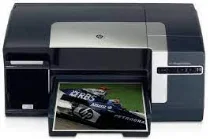
The HP Officejet Pro K550 printer comprises several crucial physical components, including the control panel, two input trays, one output tray, paper guides, ink cartridge, ink cartridge covers, printhead latch, and top cover. The device's control buttons feature the power button, configuration button, cancel button, resume button, printhead, and ink cartridge lights. For added convenience, the printer also comes with an optional automatic duplexer component that enables it to print on both sides of the paper. This feature is especially useful for businesses that require double-sided printing capabilities to enhance their productivity and efficiency. The input trays are designed to hold various paper sizes, including envelopes, labels, and cardstock, while the output tray is responsible for holding the printed documents. The paper guides help to align the papers correctly, ensuring that the printing process is accurate and precise. Ink cartridges are crucial components of the HP Officejet Pro K550 printer, as they are responsible for delivering high-quality prints. They come with ink cartridge covers that help to protect them from dust and other contaminants, ensuring that they remain in good condition for longer. To access the printhead for maintenance and cleaning purposes, the printer features a printhead latch that allows users to easily remove and replace the printhead. The top cover also provides easy access to the printer's internal components, enabling users to carry out routine maintenance tasks with ease. In summary, the HP Officejet Pro K550 printer boasts several essential physical components that work together to provide users with reliable and efficient printing capabilities. Its optional automatic duplexer component and versatile paper handling capabilities make it an ideal choice for businesses looking to enhance their printing capabilities.The printer boasts a Thermal Inkjet Technology, making it a reliable choice for workgroup printing needs. To ensure top-notch quality and image resolution, it is equipped with HP PhotoREt III and a PCL3 GUI language simulation. With a speedy inbuilt processor that clocks in at 350 MHz, this printer is sure to meet all your printing demands.The printer boasts a modest physical profile, measuring 19.5 x 15.9 x 8.4 in (WDH) and tipping the scales at 21.38 lbs.HP Officejet Pro K550 cartridges are an essential component of any high-quality printing setup. These cartridges are specifically designed to work with the HP Officejet Pro K550 printer, providing reliable and consistent printing performance. Whether you are printing documents, graphics, or photos, these cartridges deliver exceptional results. They are engineered with advanced ink formulations that produce sharp, vibrant colors and crisp, clear text. Additionally, they are designed to resist fading, smudging, and water damage, ensuring that your printed materials look great for years to come. One of the key advantages of HP Officejet Pro K550 cartridges is their high yield. They are capable of producing a large number of prints before needing to be replaced, which can help you save money over time. Additionally, they are easy to install and use, making them a convenient option for busy professionals and businesses. Overall, HP Officejet Pro K550 cartridges are an excellent choice for anyone who wants to achieve high-quality printing results. They offer a combination of reliability, performance, and convenience that is hard to beat. So if you are looking for a reliable and high-quality printing solution, be sure to check out HP Officejet Pro K550 cartridges.Introducing the HP88 Original Ink Cartridge series, featuring the HP88 Black, Cyan, Magenta, and Yellow cartridges. The HP88 Black cartridge boasts a remarkable page yield of approximately 850 pages, while the Cyan and Yellow cartridges offer approximately 860 pages each. The Magenta cartridge is the star of the show, providing an impressive yield of approximately 1000 pages. Each cartridge in the HP88 series delivers exceptional print quality, ensuring that every detail is captured in vivid color and sharp clarity. These cartridges are perfect for high-volume printing needs, making them ideal for businesses and home offices alike. Invest in the HP88 Original Ink Cartridge series for a reliable and efficient printing solution. With their impressive page yields and superior quality, these cartridges will exceed your expectations and deliver stunning results every time. Order now and experience the difference for yourself.Please select the correct HP Officejet Pro K550 driver that compatible with your operating system.Get the HP Officejet Pro K550 driver Downloads for Microsoft Windows 32-bit – 64-bit and Macintosh Operating System. Enhance your printing experience with this advanced driver that offers seamless compatibility with your operating system. With its cutting-edge technology, the HP Officejet Pro K550 driver ensures that your printer performs at its very best, delivering superior quality prints every time. Download now and experience the difference!HP Officejet Pro K550 printer.
HP Officejet Pro K550 Driver Downloads
| Driver | Operating System | Version | Size | Download |
|---|---|---|---|---|
| printer Recommended | Windows | — | 75.1 MB | Download |
| printer | macOS | — | 100.5 MB | Download |
How to Install the HP Officejet Pro K550 Driver
- Click the recommended driver package above and save the file to your PC.
- Open the downloaded file and follow the on-screen HP installer.
- Connect the Officejet Pro K550 by USB or network when prompted.
- Finish and print a test page to confirm the driver works.