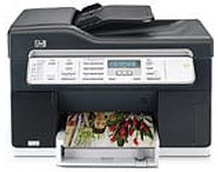
HP Officejet Pro L7380 Driver Download
- 11 drivers
- Supports Windows 10
- Windows · macOS · Linux
- ✓ Safe & free
The HP Officejet Pro L7380 is a top-notch multi-function printer that is perfect for small offices and businesses. This printer boasts an affordable price tag and superior scanning and printing quality. Additionally, it is an Energy Star device, meaning it minimizes power consumption and reduces its impact on natural resources. The printer operates using a drop-on-demand thermal inject printing method and is compatible with the HP PCL 3 enhanced language. Upgrade your office's efficiency and productivity with the HP Officejet Pro L7380.This printer boasts full compatibility with both Windows and Mac operating systems, making it a versatile choice for any user. It offers support for Windows 2000/XP/XP 64-bit, ensuring seamless integration with your existing setup. To run on a Windows operating system, the printer requires a minimum of 128 MB of RAM and 280 MB of free disk space. If you plan to use full-color scanning, an additional 50 MB of free disk space is also required. For Mac users, the printer is compatible with Mac OS X 10.3.9 or higher, offering a wide range of options for those on the Apple platform. It requires a minimum of 128 MB of RAM and 100 MB of free disk space to run smoothly. With its robust compatibility and flexible specifications, this printer is a reliable choice for any user.
HP Officejet Pro L7380 Driver Downloads
| Driver | Operating System | Version | Size | Download |
|---|---|---|---|---|
| Full Feature Driver Recommended | Windows 10Windows 8.1Windows 8 | — | 285.8 MB | Download |
| Full Feature Driver | Windows 7Windows VistaWindows XP | — | 385.3 MB | Download |
| Basic Print and Scan Driver IT Professional Use Only | Windows 8.1Windows 8 | — | 67.7 MB | Download |
| Basic Print and Scan Driver IT Professional Use Only | Windows 8.1Windows 8 | — | 69.8 MB | Download |
| Basic Print and Scan Driver IT Professional Use Only | Windows 7 | — | 75.9 MB | Download |
| Basic Print and Scan Driver IT Professional Use Only | Windows 7 | — | 79.5 MB | Download |
| Basic Print and Scan | Windows 7Windows VistaWindows XP | — | 248 MB | Download |
| Basic Features Driver and Software IT Professional Use Only | Windows XP | — | 43.4 MB | Download |
| Basic Features Driver and Software Corporate only | Windows XP | — | 35.7 MB | Download |
| Full Feature Drivers | macOS | — | 151 MB | Download |
| Full Feature Driver | macOS | — | 247.1 MB | Download |
How to Install the HP Officejet Pro L7380 Driver
- Click the recommended driver package above and save the file to your PC.
- Open the downloaded file and follow the on-screen HP installer.
- Connect the Officejet Pro L7380 by USB or network when prompted.
- Finish and print a test page to confirm the driver works.