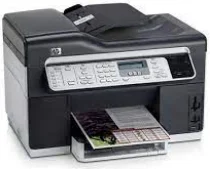
HP Officejet Pro L7590 Driver Download
- 13 drivers
- Supports Windows 10
- Windows · macOS · Linux
- ✓ Safe & free
HP Officejet Pro L7590 All-in-One Printer cartridgesHP 88 Three Ink Color Composite Yield (~900 pages), HP 88 Black Ink Cartridge Yield (~850 pages), HP 88 Cyan Ink Cartridge Yield (~885 pages), HP 88 Magenta Ink Cartridge Yield (~1095 pages), and HP 88 Yellow Ink Cartridge Yield (~850 pages) are the ink cartridges you need for your HP printer. With a high yield, these cartridges offer you a cost-effective solution to your printing needs. The three ink color composite yield cartridge produces vibrant colors with sharp contrast, enhancing the visual appeal of your documents. The black ink cartridge is perfect for printing text documents with crisp and clear lines. The cyan ink cartridge produces a cool blue hue that adds a refreshing touch to your images. The magenta ink cartridge is ideal for printing reds, pinks, and purples, giving your prints a lively and energetic feel. The yellow ink cartridge produces bright and vivid yellows, perfect for printing sunsets or landscapes. So, whether you're printing documents or photos, these ink cartridges will provide you with high-quality prints that last. Get your hands on these cartridges today and enjoy hassle-free printing!The HP Officejet Pro L7590 printer model utilizes the drop-on-demand thermal inkjet printing technology, along with an HP PCL 3 enhanced emulation. With varying print speeds depending on the compatible models in use, this printer can produce up to 20 pages per minute (ppm) in black after the first page, while color printing has a print rate of 13 ppm after the first page. However, the complexity of the document can also affect the print speed. In addition to its impressive print speed, the HP Officejet Pro L7590 model can handle a monthly print volume of up to 7500 pages. This is made possible by its advanced technology and efficient design, making it an ideal choice for businesses of all sizes.
HP Officejet Pro L7590 Driver Downloads
| Driver | Operating System | Version | Size | Download |
|---|---|---|---|---|
| Full Feature Drivers Recommended | Windows 10Windows 8.1Windows 8 | — | 285.8 MB | Download |
| Full Feature Drivers | Windows 7Windows VistaWindows XP | — | 324.1 MB | Download |
| Basic Driver IT Professional Use Only | Windows 8.1Windows 8 | — | 67.7 MB | Download |
| Basic Driver IT Professional Use Only | Windows 8.1Windows 8 | — | 69.8 MB | Download |
| Basic Driver IT Professional Use Only | Windows 7 | — | 75.9 MB | Download |
| Basic Driver IT Professional Use Only | Windows 7 | — | 79.5 MB | Download |
| Basic Print and Scan | Windows 7Windows VistaWindows XP | — | 248 MB | Download |
| Basic Feature Driver and Software IT Professional Use Only | Windows XP | — | 43.4 MB | Download |
| Basic Feature Driver and Software Corporate only | Windows XP | — | 35.7 MB | Download |
| ePrint Software Network and Wireless Connected Printers | Windows 10Windows 8.1Windows 8Windows 7 | — | 26.2 MB | Download |
| ePrint Software Network and Wireless Connected Printers | Windows 10Windows 8.1Windows 8Windows 7 | — | 31.2 MB | Download |
| Full Feature Drivers | macOS | — | 151 MB | Download |
| Full Feature Drivers | macOS | — | 247.1 MB | Download |
How to Install the HP Officejet Pro L7590 Driver
- Click the recommended driver package above and save the file to your PC.
- Open the downloaded file and follow the on-screen HP installer.
- Connect the Officejet Pro L7590 by USB or network when prompted.
- Finish and print a test page to confirm the driver works.