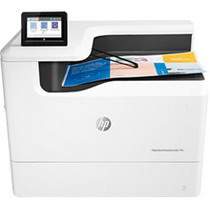
HP PageWide Enterprise Color 765dn Driver Download
- 9 drivers
- Supports Windows 11
- Windows · macOS · Linux
- ✓ Safe & free
The HP PageWide Enterprise Color 765dn printer model boasts an impressive black printing speed of up to 55 pages per minute, as per professional mode standards set by ISO. However, in general mode, the rate skyrockets to a whopping 75 ppm for black and white printing. Interestingly, the rate of color printing matches that of monochrome printing. This printer also offers lightning-fast first-page printing, with just 6.7 seconds for monochrome printing and 7.5 seconds for color printing.Replacing CartridgesHP 982A Black Original PageWide Cartridge (~ 10,000 yield)HP 982A Cyan Original PageWide Cartridge (~ 8,000 yield)Magenta Original PageWide HP 982A Cartridge (~ 8,000 yield)HP 982A Yellow Original PageWide Cartridge (~ 8,000 yield)HP 982X Black Original PageWide Cartridge (~ 20,000 yield)Cyan Original PageWide HP 982X Cartridge (~ 16,000 yield)HP 982X Magenta Original PageWide Cartridge (~ 16,000 yield)982X Yellow Original PageWide Cartridge (~ 16,000 yield).
HP PageWide Enterprise Color 765dn Driver Downloads
| Driver | Operating System | Version | Size | Download |
|---|---|---|---|---|
| Full Feature Driver Recommended | Windows 11Windows 10Windows 8.1Windows 8Windows 7 | — | 91.6 MB | Download |
| PCL 6 V3 Printer Driver no installer | Windows 11Windows 10Windows 8.1Windows 8Windows 7Windows VistaWindows XP | — | 14.1 MB | Download |
| PCL 6 V4 Printer Driver no installer | Windows 11Windows 10Windows 8.1Windows 8 | — | 10.1 MB | Download |
| PCL 6 XPV Printer Driver no installer | Windows VistaWindows XP | — | 14.7 MB | Download |
| Easy Start Printer Setup | Windows 11Windows 10 | — | 11.3 MB | Download |
| Easy Start Printer Setup | Windows 8.1Windows 8 | — | 11.3 MB | Download |
| Easy Start Printer Setup | Windows 7 | — | 11.3 MB | Download |
| Easy Start Printer Setup | macOS | — | 9.1 MB | Download |
| hp helip installer 3.17.9.run | Windows | — | 22.8 MB | Download |
How to Install the HP PageWide Enterprise Color 765dn Driver
- Click the recommended driver package above and save the file to your PC.
- Open the downloaded file and follow the on-screen HP installer.
- Connect the PageWide Enterprise Color 765dn by USB or network when prompted.
- Finish and print a test page to confirm the driver works.