HP PageWide Enterprise Color MFP 780dn Driver Download
- 23 drivers
- Supports Windows 11
- Windows · macOS · Linux
- ✓ Safe & free
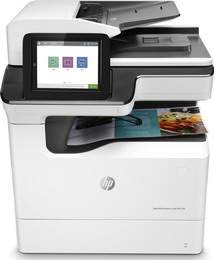
The HP PageWide Enterprise Color MFP 780dn is a versatile machine that supports multitasking functions such as printing, copying, and scanning. While faxing is an optional feature, the printer still delivers exceptional quality at a great speed. At professional mode, the printer can produce 45 pages per minute (ppm) for black printing, but for general office mode, it can print up to 65 ppm for both color and black and white printing. The HP PageWide print technology used in this printer significantly improves its productivity and yield quality. This technology uses a stationary printhead that spans the width of the page to produce high-quality prints at a faster rate compared to traditional inkjet and laser printers. Overall, the HP PageWide Enterprise Color MFP 780dn is an excellent investment for businesses that require high-quality printing at a fast speed.
HP PageWide Enterprise Color MFP 780dn Driver Downloads
| Driver | Operating System | Version | Size | Download |
|---|---|---|---|---|
| Full Feature Driver Recommended | Windows 11Windows 10Windows 8.1Windows 8Windows 7 | — | 91.6 MB | Download |
| PCL 6 V3 Driver no installer | Windows 11Windows 10Windows 8.1Windows 8Windows 7Windows VistaWindows XP | — | 14.1 MB | Download |
| PCL 6 V4 Driver no installer | Windows 11Windows 10Windows 8.1Windows 8 | — | 10.1 MB | Download |
| MFP Network Twain Scan Package | Windows 8.1Windows 8Windows 7 | — | 14.8 MB | Download |
| PCL 6 XPV Driver no installer | Windows VistaWindows XP | — | 14.7 MB | Download |
| Universal Fax | Windows 11Windows 10Windows 8.1Windows 7 | — | 16.7 MB | Download |
| Universal Fax | Windows 11Windows 10Windows 8.1Windows 7 | — | 8.9 MB | Download |
| PCL6 Universal Print | Windows 11Windows 10Windows 8.1Windows 8Windows 7 | — | 18.3 MB | Download |
| PCL6 Universal Print | Windows 11Windows 10Windows 8.1Windows 8Windows 7 | — | 20.7 MB | Download |
| PostScript Universal Print | Windows 11Windows 10Windows 8.1Windows 8Windows 7 | — | 19.5 MB | Download |
| PostScript Universal Print | Windows 11Windows 10Windows 8.1Windows 8Windows 7 | — | 21.8 MB | Download |
| USB Connected PCL6 Universal Print | Windows 11Windows 10Windows 8.1Windows 8Windows 7 | — | 18.4 MB | Download |
| USB Connected PCL6 Universal Print | Windows 11Windows 10Windows 8.1Windows 8Windows 7 | — | 20.7 MB | Download |
| USB Connected PostScript Universal Print | Windows 11Windows 10Windows 8.1Windows 8Windows 7 | — | 19.6 MB | Download |
| USB Connected PostScript Universal Print | Windows 11Windows 10Windows 8.1Windows 8Windows 7 | — | 21.9 MB | Download |
| Universal Scan Full Feature Driver | Windows 11Windows 10Windows 8.1Windows 7 | — | 349.8 MB | Download |
| Universal Scan Basic Feature Driver | Windows 10Windows 8.1Windows 7 | — | 84.1 MB | Download |
| Universal Scan Basic Feature Driver | Windows 11Windows 10Windows 8.1Windows 7 | — | 104.8 MB | Download |
| Easy Start Printer Setup | Windows 11Windows 10 | — | 11.3 MB | Download |
| Easy Start Printer Setup | Windows 8.1Windows 8 | — | 11.3 MB | Download |
| Easy Start Printer Setup | Windows 7 | — | 11.3 MB | Download |
| Easy Start Printer Setup | macOS | — | 9.1 MB | Download |
| hp helip installer 3.17.9.run | Windows | — | 22.8 MB | Download |
How to Install the HP PageWide Enterprise Color MFP 780dn Driver
- Click the recommended driver package above and save the file to your PC.
- Open the downloaded file and follow the on-screen HP installer.
- Connect the PageWide Enterprise Color MFP 780dn by USB or network when prompted.
- Finish and print a test page to confirm the driver works.