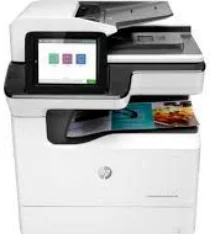
HP PageWide Enterprise Color MFP 780dns Driver Download
- 22 drivers
- Supports Windows 11
- Windows · macOS · Linux
- ✓ Safe & free
The HP PageWide Enterprise Color MFP 780dns driver boasts a comprehensive suite of features, including HP connectivity, HP device experience (DXP), HP PCL 6 printer driver, and HP software installer/uninstaller. In addition, this device comes with a limited hardware warranty that lasts for a year. However, it should be noted that this warranty may vary depending on the product, country, or local legal requirements. This machine measures 35.25 inches in width, 28.25 inches in depth, and 31.125 inches in height, making it a sizable addition to any office space. Its net weight is approximately 181 lbs, making it a sturdy and durable device. With its advanced features and reliable hardware, the HP PageWide Enterprise Color MFP 780dns driver is a top choice for businesses that demand high-quality printing and scanning capabilities.
HP PageWide Enterprise Color MFP 780dns Driver Downloads
| Driver | Operating System | Version | Size | Download |
|---|---|---|---|---|
| Full Feature Driver Recommended | Windows 11Windows 10Windows 8.1Windows 8Windows 7 | — | 91.6 MB | Download |
| PCL 6 V3 Printer Driver no installer | Windows 11Windows 10Windows 8.1Windows 8Windows 7Windows VistaWindows XP | — | 14.1 MB | Download |
| PCL 6 V4 Printer Driver no installer | Windows 11Windows 10Windows 8.1Windows 8 | — | 10.1 MB | Download |
| Universal Scan Full Feature Driver | Windows 11Windows 10Windows 8.1Windows 7 | — | 349.8 MB | Download |
| Universal Scan Basic Feature Driver | Windows 10Windows 8.1Windows 7 | — | 84.1 MB | Download |
| Universal Scan Basic Feature Driver | Windows 11Windows 10Windows 8.1Windows 7 | — | 104.8 MB | Download |
| Network Twain Scan Package | Windows 8.1Windows 8Windows 7 | — | 14.8 MB | Download |
| Universal Fax | Windows 11Windows 10Windows 8.1Windows 7 | — | 16.7 MB | Download |
| Universal Fax | Windows 11Windows 10Windows 8.1Windows 7 | — | 8.9 MB | Download |
| PCL6 Universal Print | Windows 11Windows 10Windows 8.1Windows 8Windows 7 | — | 18.3 MB | Download |
| PCL6 Universal Print | Windows 11Windows 10Windows 8.1Windows 8Windows 7 | — | 20.7 MB | Download |
| PostScript Universal Print | Windows 11Windows 10Windows 8.1Windows 8Windows 7 | — | 19.5 MB | Download |
| PostScript Universal Print | Windows 11Windows 10Windows 8.1Windows 8Windows 7 | — | 21.8 MB | Download |
| USB connected PCL6 Universal Print | Windows 11Windows 10Windows 8.1Windows 8Windows 7 | — | 18.4 MB | Download |
| USB connected PCL6 Universal Print | Windows 11Windows 10Windows 8.1Windows 8Windows 7 | — | 20.7 MB | Download |
| USB connected PostScript Universal Print | Windows 11Windows 10Windows 8.1Windows 8Windows 7 | — | 19.6 MB | Download |
| USB connected PostScript Universal Print | Windows 11Windows 10Windows 8.1Windows 8Windows 7 | — | 21.9 MB | Download |
| Easy Start Printer Setup | Windows 11Windows 10 | — | 11.4 MB | Download |
| Easy Start Printer Setup | Windows 8.1Windows 8 | — | 11.4 MB | Download |
| Easy Start Printer Setup | Windows 7 | — | 11.4 MB | Download |
| PCL 6 XPV Printer Driver no installer | Windows VistaWindows XP | — | 14.7 MB | Download |
| Easy Start | macOS | — | 9.1 MB | Download |
How to Install the HP PageWide Enterprise Color MFP 780dns Driver
- Click the recommended driver package above and save the file to your PC.
- Open the downloaded file and follow the on-screen HP installer.
- Connect the PageWide Enterprise Color MFP 780dns by USB or network when prompted.
- Finish and print a test page to confirm the driver works.