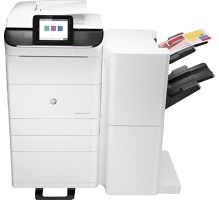
HP PageWide Managed Color MFP P77940dn Plus Driver Download
- 22 drivers
- Supports Windows 11
- Windows · macOS · Linux
- ✓ Safe & free
The printer, HP PageWide Managed Color MFP P77940dn Plus has a product number of Y3Z73A. This printer can hold up to 100 sheets of plain paper as an input load. On the other hand, there is a supplementary tray which can hold 550 sheets of plain paper. This printer also supports the use of transparent sheets, index cards, photo papers, and other basic media types.HP PageWide Managed Color MFP P77940dn Plus printer Replacing CartridgesThe Black Contract PageWide HP 990AC Cartridge is capable of producing up to 20,000 pages, making it a reliable and efficient choice for any printing needs. For those in need of cyan ink, the Contract PageWide HP 990AC Cartridge is another excellent option with the same printing capacity of up to 20,000 pages. If magenta is the color required, the Contract PageWide HP 990AC Cartridge can print up to 16,000 pages, ensuring a long-lasting and vibrant output. Lastly, the Yellow Contract PageWide HP 990AC Cartridge can print up to 16,000 pages, providing a high-quality and consistent performance. With these cartridges, you can trust that your printing needs are met with the utmost professionalism and efficiency.HP P.
HP PageWide Managed Color MFP P77940dn Plus Driver Downloads
| Driver | Operating System | Version | Size | Download |
|---|---|---|---|---|
| Full feature Recommended | Windows 11Windows 10Windows 8.1Windows 8Windows 7 | — | 75.5 MB | Download |
| PCL 6 V3 Printer Driver no installer | Windows 11Windows 10Windows 8.1Windows 8Windows 7 | — | 14.1 MB | Download |
| PCL 6 V4 Printer Driver no installer | Windows 11Windows 10Windows 8.1 | — | 10.1 MB | Download |
| MFP Network Twain Scan Package | Windows 8.1Windows 8Windows 7 | — | 14.8 MB | Download |
| Universal Fax | Windows 11Windows 10Windows 8.1Windows 7 | — | 16.7 MB | Download |
| Universal Fax | Windows 11Windows 10Windows 8.1Windows 7 | — | 8.9 MB | Download |
| PCL6 Universal Print | Windows 11Windows 10Windows 8.1Windows 8Windows 7 | — | 18.3 MB | Download |
| PCL6 Universal Print | Windows 11Windows 10Windows 8.1Windows 8Windows 7 | — | 20.7 MB | Download |
| PostScript Universal Print | Windows 11Windows 10Windows 8.1Windows 8Windows 7 | — | 19.5 MB | Download |
| PostScript Universal Print | Windows 11Windows 10Windows 8.1Windows 8Windows 7 | — | 21.8 MB | Download |
| USB Connected PCL6 Universal Print | Windows 11Windows 10Windows 8.1Windows 8Windows 7 | — | 18.4 MB | Download |
| USB Connected PCL6 Universal Print | Windows 11Windows 10Windows 8.1Windows 8Windows 7 | — | 20.7 MB | Download |
| USB Connected PostScript Universal Print | Windows 11Windows 10Windows 8.1Windows 8Windows 7 | — | 19.6 MB | Download |
| USB Connected PostScript Universal Print | Windows 11Windows 10Windows 8.1Windows 8Windows 7 | — | 21.9 MB | Download |
| Universal Scan Full Feature Driver | Windows 11Windows 10Windows 8.1Windows 7 | — | 349.8 MB | Download |
| Universal Scan Basic Feature Driver | Windows 10Windows 8.1Windows 7 | — | 84.1 MB | Download |
| Universal Scan Basic Feature Driver | Windows 11Windows 10Windows 8.1Windows 7 | — | 104.8 MB | Download |
| Easy Start Printer Setup | Windows 11Windows 10 | — | 11.3 MB | Download |
| Easy Start Printer Setup | Windows 8.1Windows 8 | — | 11.3 MB | Download |
| Easy Start Printer Setup | Windows 7 | — | 11.3 MB | Download |
| Easy Start Printer Setup | macOS | — | 9.1 MB | Download |
| hp helip installer 3.18.5.run | Windows | — | 21.4 MB | Download |
How to Install the HP PageWide Managed Color MFP P77940dn Plus Driver
- Click the recommended driver package above and save the file to your PC.
- Open the downloaded file and follow the on-screen HP installer.
- Connect the PageWide Managed Color MFP P77940dn Plus by USB or network when prompted.
- Finish and print a test page to confirm the driver works.