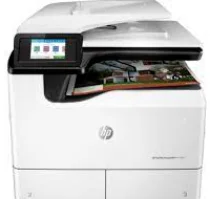
HP PageWide Managed MFP P77740DN Driver Download
- 16 drivers
- Supports Windows 11
- Windows · macOS · Linux
- ✓ Safe & free
The HP PageWide Managed MFP P77740DN printer model boasts remarkable multifunctional capabilities when it comes to printing. This machine is not only capable of printing, but also scanning, copying, sending and receiving fax messages. With the help of the compatible printer driver and software, users can easily access some of the basic features of the HP PageWide Managed MFP P77740DN. This includes the ability to diagnose and resolve issues related to printing and connectivity. One of the standout features of this printer is the use of the HP PCL 6 printer driver with MS Office programs. This ensures consistent print language and high-quality output for documents created in Microsoft Office applications. With its versatile functionality and reliable performance, the HP PageWide Managed MFP P77740DN is an excellent choice for any business looking for a top-of-the-line multifunctional printer.
HP PageWide Managed MFP P77740DN Driver Downloads
| Driver | Operating System | Version | Size | Download |
|---|---|---|---|---|
| Full Feature Driver Recommended | Windows 11Windows 10Windows 8.1Windows 8Windows 7 | — | 204.9 MB | Download |
| Basic Driver and Software Solution | Windows 10Windows 8.1Windows 8Windows 7Windows VistaWindows XP | — | 79.2 MB | Download |
| Basic Driver and Software Solution | Windows 11Windows 10Windows 8.1Windows 8Windows 7 | — | 88.7 MB | Download |
| PCL 6 V3 Printer Driver no installer | Windows 11Windows 10Windows 8.1Windows 8Windows 7 | — | 19.7 MB | Download |
| PCL 6 V4 Printer Driver no installer | Windows 11Windows 10Windows 8.1 | — | 15.8 MB | Download |
| Universal Fax | Windows 11Windows 10Windows 8.1Windows 7 | — | 16.7 MB | Download |
| PCL6 Universal Print | Windows 11Windows 10Windows 8.1Windows 8Windows 7 | — | 18.3 MB | Download |
| PCL6 Universal Print | Windows 11Windows 10Windows 8.1Windows 8Windows 7 | — | 20.7 MB | Download |
| PostScript Universal Print | Windows 11Windows 10Windows 8.1Windows 8Windows 7 | — | 19.5 MB | Download |
| PostScript Universal Print | Windows 11Windows 10Windows 8.1Windows 8Windows 7 | — | 21.8 MB | Download |
| USB connected PCL6 Universal Print | Windows 11Windows 10Windows 8.1Windows 8Windows 7 | — | 18.4 MB | Download |
| USB connected PCL6 Universal Print | Windows 11Windows 10Windows 8.1Windows 8Windows 7 | — | 20.7 MB | Download |
| USB connected PostScript Universal Print | Windows 11Windows 10Windows 8.1Windows 8Windows 7 | — | 19.6 MB | Download |
| USB connected PostScript Universal Print | Windows 11Windows 10Windows 8.1Windows 8Windows 7 | — | 21.9 MB | Download |
| PCL 6 XPV Printer Driver no installer | Windows VistaWindows XP | — | 20.7 MB | Download |
| Easy Start | macOS | — | 9.1 MB | Download |
How to Install the HP PageWide Managed MFP P77740DN Driver
- Click the recommended driver package above and save the file to your PC.
- Open the downloaded file and follow the on-screen HP installer.
- Connect the PageWide Managed MFP P77740DN by USB or network when prompted.
- Finish and print a test page to confirm the driver works.