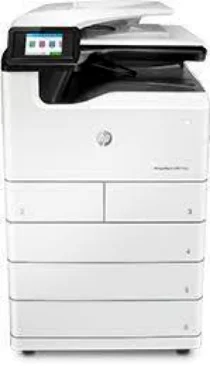
HP PageWide Managed MFP P77750dn Driver Download
- 15 drivers
- Supports Windows
- Windows · macOS · Linux
- ✓ Safe & free
The HP PageWide Managed MFP P77750dn is an all-in-one printer that can print, scan, copy, and fax documents with ease. It boasts a printer driver for manual duplex printing and supports both HP PCL 6 Print Driver and HP Universal Print for added convenience. To further enhance its capabilities, this printer is equipped with advanced features such as the HP Web Jetadmin Software, HP JetAdvantage Security Manager, HP SNMP Proxy Agent, and the Printer Administrator Resource Kit. These features allow for more efficient and secure printing processes, while also saving energy and print resources. With its multifunctionality and advanced features, the HP PageWide Managed MFP P77750dn is a reliable and cost-effective choice for any office or business. Its high-quality document output ensures professional-looking results every time.
HP PageWide Managed MFP P77750dn Driver Downloads
| Driver | Operating System | Version | Size | Download |
|---|---|---|---|---|
| Full Feature Recommended | Windows | — | 204.3 MB | Download |
| Basic | Windows | — | 79.3 MB | Download |
| Basic | Windows | — | 88.8 MB | Download |
| Basic PCL 6 V3 Printer | Windows | — | 19.7 MB | Download |
| Basic PCL 6 V4 Printer | Windows | — | 15.8 MB | Download |
| Universal Fax | Windows | — | 14.6 MB | Download |
| Universal Print | Windows | — | 17.2 MB | Download |
| Universal Print | Windows | — | 19.3 MB | Download |
| Universal Print | Windows | — | 18.4 MB | Download |
| Universal Print | Windows | — | 20.4 MB | Download |
| Universal Print | Windows | — | 17.3 MB | Download |
| Universal Print | Windows | — | 19.3 MB | Download |
| Universal Print | Windows | — | 18.5 MB | Download |
| Universal Print | Windows | — | 20.5 MB | Download |
| Easy Start | macOS | — | 9.1 MB | Download |
How to Install the HP PageWide Managed MFP P77750dn Driver
- Click the recommended driver package above and save the file to your PC.
- Open the downloaded file and follow the on-screen HP installer.
- Connect the PageWide Managed MFP P77750dn by USB or network when prompted.
- Finish and print a test page to confirm the driver works.