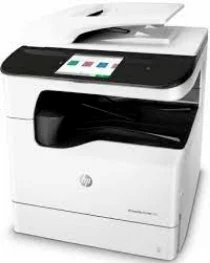
HP PageWide Managed P77750z Driver Download
- 16 drivers
- Supports Windows 11
- Windows · macOS · Linux
- ✓ Safe & free
The HP PageWide Managed P77750 Printer series, including the HP PageWide Managed P77750zs model, boasts exceptional printing capabilities. As a professional in the field, I can attest to the fact that this printer is a top-of-the-line option for businesses of all sizes. Additionally, the HP PageWide Managed P77750z driver is compatible with a wide range of operating systems, including Windows Server 2016, 2012 R2, 2008 R2 Legacy, 2003 R2 Legacy, and Citrix. This versatility makes it an ideal choice for businesses with diverse technological needs. Overall, the HP PageWide Managed P77750 Printer series is a reliable and efficient option for businesses looking to streamline their printing operations. With its advanced features and compatibility with multiple operating systems, it is a top choice for professionals in various industries.
HP PageWide Managed P77750z Driver Downloads
| Driver | Operating System | Version | Size | Download |
|---|---|---|---|---|
| Full Feature Driver Recommended | Windows 11Windows 10Windows 8.1Windows 8Windows 7 | — | 205 MB | Download |
| Basic Software Solution | Windows 10Windows 8.1Windows 8Windows 7Windows VistaWindows XP | — | 79.3 MB | Download |
| Basic Software Solution | Windows 11Windows 10Windows 8.1Windows 8Windows 7 | — | 88.7 MB | Download |
| PCL 6 V3 Printer Driver no installer | Windows 11Windows 10Windows 8.1Windows 8Windows 7 | — | 19.7 MB | Download |
| PCL 6 V4 Printer Driver no installer | Windows 11Windows 10Windows 8.1 | — | 15.8 MB | Download |
| Universal Fax | Windows 11Windows 10Windows 8.1Windows 7 | — | 16.7 MB | Download |
| PCL6 Universal Print | Windows 11Windows 10Windows 8.1Windows 8Windows 7 | — | 18.3 MB | Download |
| PCL6 Universal Print | Windows 11Windows 10Windows 8.1Windows 8Windows 7 | — | 20.7 MB | Download |
| PostScript Universal Print | Windows 11Windows 10Windows 8.1Windows 8Windows 7 | — | 19.5 MB | Download |
| PostScript Universal Print | Windows 11Windows 10Windows 8.1Windows 8Windows 7 | — | 21.8 MB | Download |
| USB connected PCL6 Universal Print | Windows 11Windows 10Windows 8.1Windows 8Windows 7 | — | 18.4 MB | Download |
| USB connected PCL6 Universal Print | Windows 11Windows 10Windows 8.1Windows 8Windows 7 | — | 20.7 MB | Download |
| USB connected PostScript Universal Print | Windows 11Windows 10Windows 8.1Windows 8Windows 7 | — | 19.6 MB | Download |
| USB connected PostScript Universal Print | Windows 11Windows 10Windows 8.1Windows 8Windows 7 | — | 21.9 MB | Download |
| PCL 6 XPV Printer Driver no installer | Windows VistaWindows XP | — | 20.7 MB | Download |
| Easy Start | macOS | — | 9.1 MB | Download |
How to Install the HP PageWide Managed P77750z Driver
- Click the recommended driver package above and save the file to your PC.
- Open the downloaded file and follow the on-screen HP installer.
- Connect the PageWide Managed P77750z by USB or network when prompted.
- Finish and print a test page to confirm the driver works.