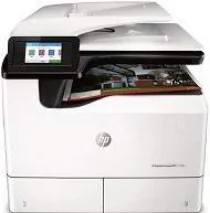
HP PageWide Managed P77750zs Driver Download
- 16 drivers
- Supports Windows 11
- Windows · macOS · Linux
- ✓ Safe & free
The HP PageWide Managed P77750zs boasts a main tray capable of holding up to 100 sheets of plain paper. For larger jobs, there is a single slot tray 2 that can accommodate 550 sheets of plain paper. When your documents are ready, the output tray can handle up to 500 sheets. Need to scan a large document? The automatic document feeder (ADF) can take up to 100 sheets of paper, so you can scan, copy, or fax with ease. This printer model also comes equipped with an inbuilt printer driver and software that can detect and resolve scanning, printing, and connectivity issues. With its advanced features and reliable performance, the HP PageWide Managed P77750zs is the ideal choice for any office looking to improve productivity and streamline their workflow.
HP PageWide Managed P77750zs Driver Downloads
| Driver | Operating System | Version | Size | Download |
|---|---|---|---|---|
| Full Feature Driver Recommended | Windows 11Windows 10Windows 8.1Windows 8Windows 7 | — | 204.7 MB | Download |
| Basic Software Solution | Windows 10Windows 8.1Windows 8Windows 7Windows VistaWindows XP | — | 79.2 MB | Download |
| Basic | Windows | — | 88.8 MB | Download |
| Basic PCL 6 V3 Printer | Windows | — | 19.7 MB | Download |
| PCL 6 V4 Printer Driver no installer | Windows 11Windows 10Windows 8.1 | — | 15.8 MB | Download |
| Universal Fax | Windows 11Windows 10Windows 8.1Windows 7 | — | 16.7 MB | Download |
| PCL6 Universal Print | Windows 11Windows 10Windows 8.1Windows 8Windows 7 | — | 18.3 MB | Download |
| PCL6 Universal Print | Windows 11Windows 10Windows 8.1Windows 8Windows 7 | — | 20.7 MB | Download |
| PostScript Universal Print | Windows 11Windows 10Windows 8.1Windows 8Windows 7 | — | 19.5 MB | Download |
| PostScript Universal Print | Windows 11Windows 10Windows 8.1Windows 8Windows 7 | — | 21.8 MB | Download |
| USB connected PCL6 Universal Print | Windows 11Windows 10Windows 8.1Windows 8Windows 7 | — | 18.4 MB | Download |
| USB connected PCL6 Universal Print | Windows 11Windows 10Windows 8.1Windows 8Windows 7 | — | 20.7 MB | Download |
| USB connected PostScript Universal Print | Windows 11Windows 10Windows 8.1Windows 8Windows 7 | — | 19.6 MB | Download |
| USB connected PostScript Universal Print | Windows 11Windows 10Windows 8.1Windows 8Windows 7 | — | 21.9 MB | Download |
| PCL.6 Printer Driver no installer | Windows VistaWindows XP | — | 20.7 MB | Download |
| Easy Start | macOS | — | 9.1 MB | Download |
How to Install the HP PageWide Managed P77750zs Driver
- Click the recommended driver package above and save the file to your PC.
- Open the downloaded file and follow the on-screen HP installer.
- Connect the PageWide Managed P77750zs by USB or network when prompted.
- Finish and print a test page to confirm the driver works.