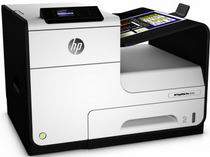
HP PageWide Pro 452dw Driver Download
- 14 drivers
- Supports Windows 10
- Windows · macOS · Linux
- ✓ Safe & free
HP Printer PageWide Pro 452dw OverviewThe PageWide Pro 452dw printer is a remarkable device that boasts of modest physical dimensions. Standing at 378.9 mm in height, 530 mm in width, and 407 mm in depth, this printer is a compact powerhouse. Weighing in at 20.15 Kg, it is surprisingly lightweight for its capabilities. This unique printer is equipped with the HP PageWide Pro 452dw driver, which is compatible with a range of operating system versions. These include Windows 10, Windows 8, Windows 7, and Windows Vista. Mac users can also enjoy its benefits, as the printer is compatible with Mac OS X v10.11 El Capitan, Mac OS X v10.10 Yosemite, and Mac OS X v10.9 Mavericks Lion. And for those who prefer Linux, this printer has got you covered too. Whether you're working from home or in a busy office setting, the PageWide Pro 452dw printer is an excellent choice. Its versatility and compatibility with a range of operating systems make it a reliable device for all your printing needs.
HP PageWide Pro 452dw Driver Downloads
| Driver | Operating System | Version | Size | Download |
|---|---|---|---|---|
| PCL6 Full Software Solution Recommended | Windows 10Windows 8.1Windows 8Windows 7 | — | 81.9 MB | Download |
| PCL6 Basic Driver with Installer | Windows 10Windows 8.1Windows 8Windows 7Windows VistaWindows XP | — | 45 MB | Download |
| PCL6 Basic Driver with Installer | Windows 10Windows 8.1Windows 8Windows 7 | — | 46.6 MB | Download |
| PCL6 Universal Print | Windows 10Windows 8.1Windows 8Windows 7 | — | 17.2 MB | Download |
| PCL6 Universal Print | Windows 10Windows 8.1Windows 8Windows 7 | — | 19.3 MB | Download |
| PostScript Universal Print | Windows 10Windows 8.1Windows 8Windows 7 | — | 18.4 MB | Download |
| PostScript Universal Print | Windows 10Windows 8.1Windows 8Windows 7 | — | 20.4 MB | Download |
| USB Connected PCL6 Universal Print | Windows 10Windows 8.1Windows 8Windows 7 | — | 17.3 MB | Download |
| USB Connected PCL6 Universal Print | Windows 10Windows 8.1Windows 8Windows 7 | — | 19.3 MB | Download |
| USB Connected PostScript Universal Print | Windows 10Windows 8.1Windows 8Windows 7 | — | 18.5 MB | Download |
| USB Connected PostScript Universal Print | Windows 10Windows 8.1Windows 8Windows 7 | — | 20.5 MB | Download |
| Easy Start Printer Setup | Windows 11Windows 10Windows 7 | — | 9.8 MB | Download |
| Easy Start Printer Setup | Windows 8.1Windows 8 | — | 9.8 MB | Download |
| Easy Start Printer Setup | macOS | — | 9.1 MB | Download |
How to Install the HP PageWide Pro 452dw Driver
- Click the recommended driver package above and save the file to your PC.
- Open the downloaded file and follow the on-screen HP installer.
- Connect the PageWide Pro 452dw by USB or network when prompted.
- Finish and print a test page to confirm the driver works.