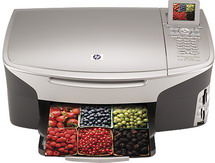
HP Photosmart 2610 Driver Download
- 7 drivers
- Supports Windows 10
- Windows · macOS · Linux
- ✓ Safe & free
Looking for a versatile printing solution? Look no further than the HP Photosmart 2610 printer. Ideal for small businesses, this all-in-one printer boasts thermal inkjet printing technology, as well as HP PCL Level 3, PCL3 GUI, or PCL 10 printing language. With superb print and scan quality, this device is a top choice for professionals seeking a reliable and efficient printing solution. Don't settle for anything less than the best - choose the HP Photosmart 2610 printer today!The printer boasts an impressive image editor and a seamlessly integrated OCR package. With a scan resolution of 2400X4800 dpi, the device utilizes a twain-compliant interface to scan documents with precision. In addition to its printing capabilities, this device also supports white, black, and color fax with resolutions reaching up to 200X200 dpi in both modes.
HP Photosmart 2610 Driver Downloads
| Driver | Operating System | Version | Size | Download |
|---|---|---|---|---|
| Full Feature Drivers Recommended | Windows 10Windows 8.1Windows 8 | — | 327.9 MB | Download |
| Full Feature Drivers | Windows 7 | — | 362.7 MB | Download |
| Full Feature Drivers | Windows Vista | — | 163.3 MB | Download |
| Full Feature Drivers | Windows XP | — | 428.8 MB | Download |
| Basic Driver | Windows XP | — | 59.5 MB | Download |
| Full Feature Drivers | macOS | — | 150.5 MB | Download |
| Full Feature Drivers | macOS | — | 189.5 MB | Download |
How to Install the HP Photosmart 2610 Driver
- Click the recommended driver package above and save the file to your PC.
- Open the downloaded file and follow the on-screen HP installer.
- Connect the Photosmart 2610 by USB or network when prompted.
- Finish and print a test page to confirm the driver works.