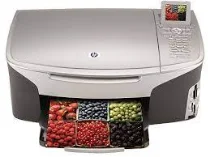
HP Photosmart 2613 Driver Download
- 7 drivers
- Supports Windows 10
- Windows · macOS · Linux
- ✓ Safe & free
The HP Photosmart 2613 driver is compatible with a range of Microsoft Windows operating systems, including the lesser-known Windows 98, Windows 98 SE, Windows Me, and Windows 2000. The driver also supports more recent versions such as Windows XP, which includes a variety of editions such as Media, Professional, Home, Media Center, and Tablet. Whether you're running an older or more modern operating system, the HP Photosmart 2613 driver has got you covered. Simply download and install the driver, and you'll be ready to go with your HP printer.To ensure optimal performance, your system must meet the following requirements. The processor must be an Intel Pentium II, Celeron or any compatible processor with a minimum of 128 RAM. Additionally, there should be at least 795 MB of free hard disk space (1 GB for Japan) and an extra 50 MB for full-color scanning. The printer itself boasts an impressive 16 MB ROM and 64 MB DRAM of internal memory. To view your output in all its glory, a monitor with SVGA 800 x 600 resolution and 16-bit color depth is required. Don't let your hardware hold you back – make sure your system meets these specifications for optimal performance.HP Photosmart 2613 printer driver Supported Windows Operating System.
HP Photosmart 2613 Driver Downloads
| Driver | Operating System | Version | Size | Download |
|---|---|---|---|---|
| Full Feature Drivers Recommended | Windows 10Windows 8.1Windows 8 | — | 327.9 MB | Download |
| Full Feature Drivers | Windows 7 | — | 362.7 MB | Download |
| Full Feature Drivers | Windows Vista | — | 163.3 MB | Download |
| Full Feature Drivers | Windows XP | — | 428.8 MB | Download |
| Basic Drivers | Windows XP | — | 59.5 MB | Download |
| Full Feature Drivers | macOS | — | 150.5 MB | Download |
| Full Feature Drivers | macOS | — | 189.5 MB | Download |
How to Install the HP Photosmart 2613 Driver
- Click the recommended driver package above and save the file to your PC.
- Open the downloaded file and follow the on-screen HP installer.
- Connect the Photosmart 2613 by USB or network when prompted.
- Finish and print a test page to confirm the driver works.