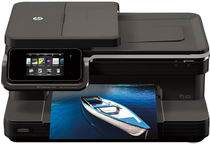
HP Photosmart 7510 Driver Download
- 9 drivers
- Supports Windows
- Windows · macOS · Linux
- ✓ Safe & free
The HP Photosmart 7510 is a versatile all-in-one printer that goes beyond just printing. It also has the ability to copy, scan, and fax documents. This exceptional device comes in two models and offers standard connectivity options such as a hi-speed USB 2.0 port and wireless connectivity. At 7.5 x 17.25 x 14 inches (HWD) and weighing 14.06 pounds, this printer boasts of a sleek and compact design that is perfect for any workspace. With its impressive features, the HP Photosmart 7510 is a great choice for professionals who require a reliable and efficient printing solution. Whether you need to print, scan, copy, or fax documents, the HP Photosmart 7510 has got you covered. Its advanced features and multiple connectivity options make it easy to use and convenient for everyday printing needs. Get your hands on the HP Photosmart 7510 and experience the power of a versatile all-in-one printer!.
HP Photosmart 7510 Driver Downloads
| Driver | Operating System | Version | Size | Download |
|---|---|---|---|---|
| Full Feature Drivers Recommended | Windows | — | 66 MB | Download |
| Basic | Windows 10Windows 8.1Windows 8Windows 7Windows VistaWindows XP | — | 24.8 MB | Download |
| Basic | Windows 10Windows 8.1Windows 8Windows 7Windows Vista | — | 26.5 MB | Download |
| ePrint Software Network and Wireless Connected Printers | Windows 10Windows 8.1Windows 8Windows 7 | — | 26.2 MB | Download |
| ePrint Software Network and Wireless Connected Printers | Windows 10Windows 8.1Windows 8Windows 7 | — | 31.2 MB | Download |
| Full Feature Drivers | macOS | — | 143.9 MB | Download |
| Full Feature Drivers | macOS | — | 182 MB | Download |
| Full Feature Drivers | macOS | — | 152 MB | Download |
| ePrint Software Network and Wireless Connected Printers | macOS | — | 6.6 MB | Download |
How to Install the HP Photosmart 7510 Driver
- Click the recommended driver package above and save the file to your PC.
- Open the downloaded file and follow the on-screen HP installer.
- Connect the Photosmart 7510 by USB or network when prompted.
- Finish and print a test page to confirm the driver works.